
Zoho One vs Individual Business Apps in 2026: Which Is Better for Your Business?
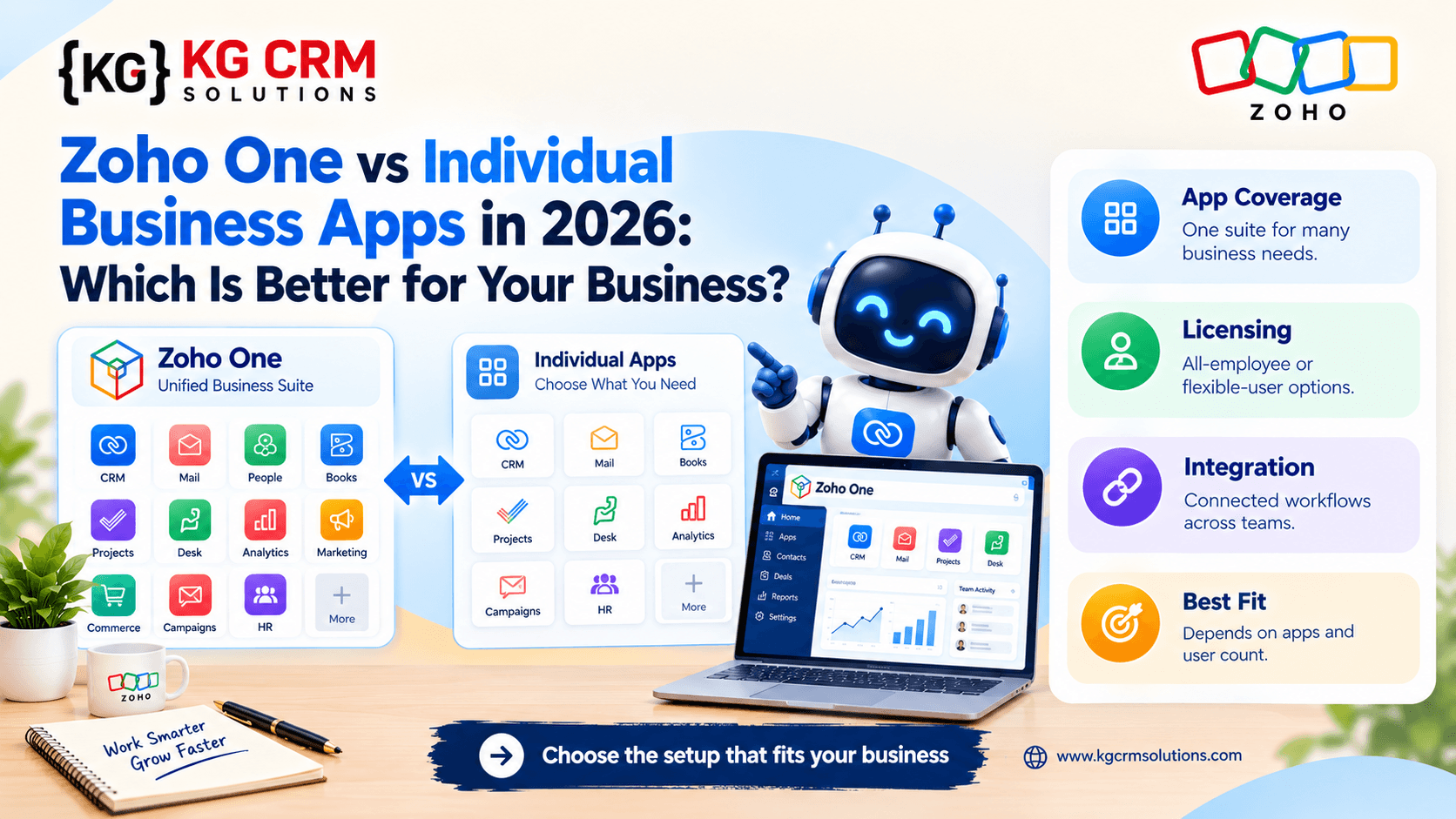
Many businesses start with separate applications for sales, marketing, email, finance, customer support, and project management. This approach can work well initially, but as an organization grows, disconnected tools may create duplicate data, manual work, inconsistent reports, and complicated administration.
Zoho One offers an integrated suite of business applications. Alternatively, a company can choose individual applications from Zoho or other software providers according to its specific requirements.
Which approach is better?
The answer depends on the applications your business needs, how closely those applications must work together, your budget, and the effort required to implement and maintain the system.
What Is Zoho One?
Zoho One is a suite of business applications designed to support functions such as sales, marketing, finance, customer service, collaboration, and operations.
Instead of evaluating each tool in isolation, businesses can consider how the applications fit together to support their overall processes.
Learn more on the official Zoho One website.
What Are Individual Business Applications?
An individual-app approach means selecting separate products for particular business needs.
For example, a company might use Zoho CRM for sales, a separate email marketing platform, another accounting system, and a third-party project management application.
This can be a sensible approach when a business has specialized requirements or already relies on tools that work well.
However, the company should evaluate the effort required to integrate these systems and maintain consistent information.
Zoho One vs Individual Apps: Key Differences
1. Integration
An integrated suite may make it easier to connect related business functions, although the exact integration capabilities depend on the applications and configuration.
With individual apps, businesses need to confirm whether native integrations are available or whether custom APIs, connectors, or middleware are required.
2. Total Cost of Ownership
Comparing subscription prices alone can produce a misleading result.
Consider:
- Software subscriptions and licensing.
- Implementation and customization.
- Integration and data migration.
- Training and change management.
- Ongoing administration and support.
- Additional tools required for specialized needs.
A suite may offer value when multiple applications are genuinely needed. Individual apps may be more economical for a company that only requires a small number of tools.
Review current pricing and licensing conditions directly with the vendors before deciding.
3. Flexibility
Individual applications can give businesses freedom to choose specialized products for particular tasks.
A suite can offer a more coordinated environment, but the organization still needs to verify that the available applications meet its requirements.
The right choice balances flexibility with the complexity of managing multiple systems.
4. Reporting and Data Visibility
When departments use disconnected applications, managers may need to combine data manually to understand the customer journey.
An integrated setup can make information sharing easier when the relevant products support the required connections and reporting.
However, good reporting still depends on consistent data definitions, permissions, and configuration.
5. Implementation Complexity
An integrated suite does not eliminate implementation work.
Businesses still need to configure users, roles, fields, approval processes, data migration, integrations, and workflows.
Similarly, individual applications need to be configured and connected where information must move between them.
The best implementation plan starts with business processes rather than the software catalogue.
Which Option Is Right for Your Business?
Choose an integrated suite when:
- Several departments need to share business information.
- You want to reduce unnecessary tool fragmentation.
- Your requirements align with the available applications.
- You want a coordinated approach to business software planning.
Consider individual apps when:
- Your business needs only a few applications.
- You already have specialized tools that meet your requirements.
- Replacing existing systems would create unnecessary disruption.
- Your requirements depend on capabilities that need separate evaluation.
These are guidelines rather than strict rules. A business can also use Zoho One alongside selected external applications.
How to Evaluate Zoho One Before Buying
Use this practical checklist.
- Map the processes used by sales, marketing, finance, support, and operations.
- Identify which applications are essential and which are optional.
- Document the data that must move between departments.
- Review licensing eligibility and total costs using current vendor pricing.
- Check integration requirements and potential limitations.
- Define migration, training, and support requirements.
- Build a phased implementation plan with measurable outcomes.
This prevents businesses from purchasing software they do not need or overlooking important integration work.
How KG CRM Solutions Can Help
KG CRM Solutions helps businesses plan, implement, and customize Zoho environments according to their processes.
Our Zoho consultation and implementation services can help assess requirements and establish a practical implementation approach.
Our business automation and blueprints services can also help identify opportunities to connect processes and reduce repetitive tasks.
The objective is to build a system that supports how your business operates rather than adding unnecessary software complexity.
Conclusion
Zoho One and individual business applications can both be effective choices.
Zoho One may be attractive when a business needs multiple connected applications. Individual apps may make more sense when requirements are narrower or specialized tools already provide the right functionality.
The best decision comes from evaluating workflows, integrations, licensing, total cost of ownership, and long-term support requirements.
Not sure which setup is right for your business? Contact KG CRM Solutions to discuss your current applications and implementation goals.
Frequently Asked Questions
Is Zoho One always cheaper than buying individual apps?
No. The result depends on the number of users, selected applications, licensing terms, and implementation costs. Compare current pricing against your actual requirements.
Can Zoho One work with third-party applications?
Integration options depend on the external product and the required data flow. Native integrations, connectors, APIs, and custom development may be relevant.
Can a business start with Zoho CRM and add more applications later?
Yes, businesses can plan a phased adoption of applications, subject to the relevant subscription and licensing conditions.
Do I need an implementation partner for Zoho One?
Not every business does. A partner may be helpful when the project involves multiple departments, complex data migration, custom workflows, or integrations.
Read Related Blogs: CRM Migration to Zoho CRM

About the Author
Parveen Kumar | Founder @ KG CRM Solutions
Parveen Kumar is the founder of KG CRM Solutions, a Zoho Authorised Partner based in Mohali, Punjab. He has been building Zoho systems for businesses across India, the UK, Australia, Canada, and the US for over 8 years, specialising in Zoho CRM, Zoho Creator, Deluge scripting, custom integrations, and widget development.