
Zoho CRM Workflow Automation: 10 Processes Every Business Should Automate
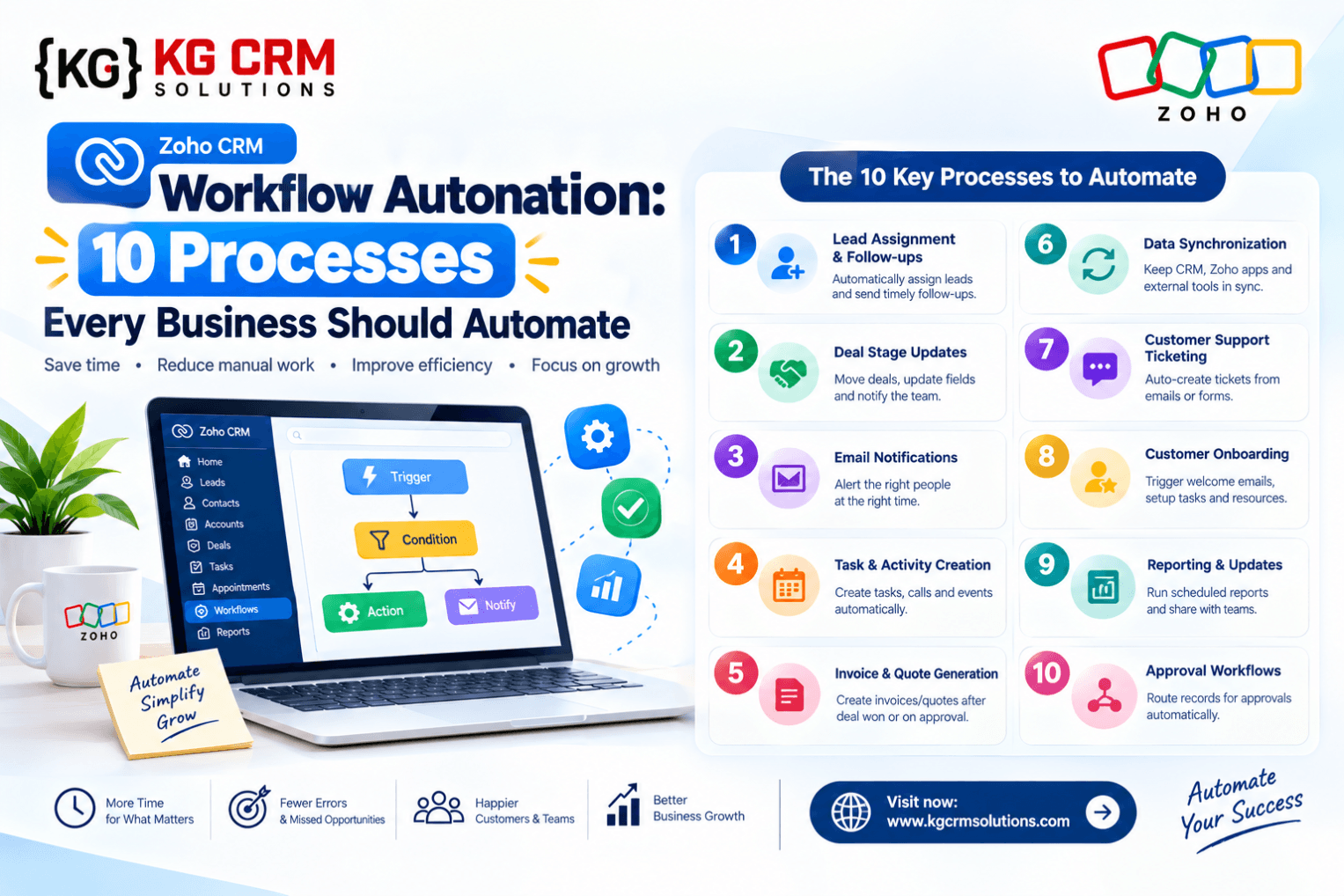
When a business starts growing, managing every customer interaction manually becomes increasingly difficult. Sales representatives may forget follow-ups, managers may struggle to track approvals, and CRM records may remain incomplete.
Zoho CRM workflow automation helps businesses handle recurring activities through predefined rules, conditions, and actions.
Instead of asking employees to repeat the same steps throughout the day, organizations can build processes that trigger tasks, update records, send notifications, and support more consistent sales operations.
This guide explains ten practical automation opportunities and how to approach them.
What Is Zoho CRM Workflow Automation?
Workflow automation allows businesses to define what should happen when a particular event occurs or a set of conditions is met.
For example, when a new lead enters Zoho CRM, the system might assign an owner, create a follow-up task, and notify the relevant sales representative.
The exact actions available depend on the configuration and Zoho CRM edition.
For more information, see Zoho CRM’s official AI and automation overview.
10 Zoho CRM Processes You Should Automate
1. Lead Assignment
Incoming leads should reach the correct salesperson quickly.
Create assignment logic based on factors such as territory, product interest, lead source, or business unit.
Example: A lead from a particular region is assigned to the representative responsible for that territory.
2. New Lead Notifications
When a lead is created, notify the assigned salesperson or team.
This can reduce delays between lead capture and the first follow-up.
3. Follow-Up Task Creation
Salespeople often manage multiple prospects simultaneously. Automated tasks help prevent follow-ups from being forgotten.
For example, a new qualified lead could trigger a call task with an appropriate due date.
4. Stalled Deal Alerts
Deals can remain in the same stage for too long without receiving attention.
Create a process to identify opportunities that have not progressed within a defined period and notify the deal owner.
Use realistic thresholds based on your actual sales cycle.
5. Deal Stage Updates
When a deal reaches a particular stage, CRM automation can initiate the next appropriate step.
For example, moving a deal into a proposal stage might trigger a task to prepare the quotation or arrange an internal review.
6. Approval Processes
Certain activities may require management approval, including discounts, commercial exceptions, or non-standard contract terms.
Use suitable approval processes to maintain consistency and reduce unauthorized decisions.
7. Data Quality Checks
Incomplete and inconsistent records can reduce reporting accuracy.
Use mandatory fields, validation rules, and appropriate automation to encourage employees to enter the information needed for qualification, reporting, and customer management.
8. Customer Renewal Reminders
Businesses with recurring contracts or subscriptions need to track renewal dates.
Create reminders ahead of renewal deadlines so account managers have enough time to contact customers and review their requirements.
9. Customer Communication
Appropriate workflow rules can trigger confirmations, notifications, or follow-up emails based on customer activity.
Communication should be relevant, compliant with applicable requirements, and configured to prevent duplicate or unwanted messages.
10. Sales Reports and Management Alerts
Managers need visibility into pipeline activity, overdue tasks, conversion rates, and sales performance.
CRM reports and dashboards can centralize this information. Where appropriate, notifications can alert managers when defined thresholds are crossed.
How to Plan a Zoho CRM Automation Workflow
A good workflow starts with a clear business process.
Step 1: Map the current process. Identify who performs each task, what information is needed, and where delays occur.
Step 2: Define the trigger. Determine which event starts the automation, such as a new lead or a change in deal stage.
Step 3: Set conditions. Specify the circumstances under which the automation should run.
Step 4: Choose actions. Decide whether the system should create tasks, update records, send alerts, or initiate an approval.
Step 5: Test the workflow. Use sample scenarios, including missing data and unexpected changes.
Step 6: Monitor performance. Check whether the automation is reducing manual work without introducing errors.
Common Automation Mistakes to Avoid
- Creating multiple workflows that perform the same action.
- Sending repeated notifications to the same person.
- Automating an unclear or inefficient process.
- Failing to test exceptions and incomplete records.
- Giving users or integrations more access than necessary.
- Leaving workflows unmonitored after implementation.
Automation should make a process more reliable, not simply make an inefficient process run faster.
Can AI Improve Traditional CRM Automation?
Yes, in suitable use cases.
Traditional workflows work well when the required conditions and actions are predictable. AI-assisted capabilities may help when the process involves interpreting information, generating summaries, or identifying patterns.
Zoho documents AI capabilities such as natural-language workflow creation, report creation, and predictive insights, although feature availability depends on the product edition and configuration.
Read our related guide: Zoho CRM Zia Agents: AI-powered CRM workflow automation.
How KG CRM Solutions Can Help
KG CRM Solutions helps businesses design and implement Zoho systems that align with their actual operations.
Our business automation and blueprints services can help organizations identify repetitive tasks, structure workflows, and establish processes that are easier to maintain.
For a broader implementation plan, explore our Zoho consultation and implementation services.
Conclusion
Zoho CRM workflow automation can help businesses improve consistency across lead management, sales follow-ups, approvals, renewals, and reporting.
The most effective approach is to prioritize processes that consume time or frequently create errors, implement them carefully, and measure their results.
Ready to streamline your CRM processes? Contact KG CRM Solutions to discuss a workflow automation project.
Frequently Asked Questions
What is workflow automation in Zoho CRM?
It is the configuration of rules, conditions, and actions that automate recurring CRM activities.
Which workflow should I automate first?
Start with a repetitive process that has a clear business rule, such as lead assignment or follow-up task creation.
Can Zoho CRM automate follow-up emails?
Suitable workflow configurations can trigger emails and related actions. Exact capabilities depend on the configuration and edition.
Do I need a developer to create Zoho CRM workflows?
Not always. Many standard workflows can be configured without custom development. More complex processes may require custom functions, integrations, or specialist implementation.
Read Related Blogs: Zoho CRM Consultant Australia

About the Author
Parveen Kumar | Founder @ KG CRM Solutions
Parveen Kumar is the founder of KG CRM Solutions, a Zoho Authorised Partner based in Mohali, Punjab. He has been building Zoho systems for businesses across India, the UK, Australia, Canada, and the US for over 8 years, specialising in Zoho CRM, Zoho Creator, Deluge scripting, custom integrations, and widget development.