

New Booking

A client just booked a free CRM consultation

2 min ago · Mumbai, IN

KG CRM Solutions

How to Show or Hide Columns in View in Zoho CRM

📅 November 18, 2022How to : Tutorials
How to Show or Hide Columns in View in Zoho CRM

In this tutorial, we’ll see , how we can add or remove columns in a view.

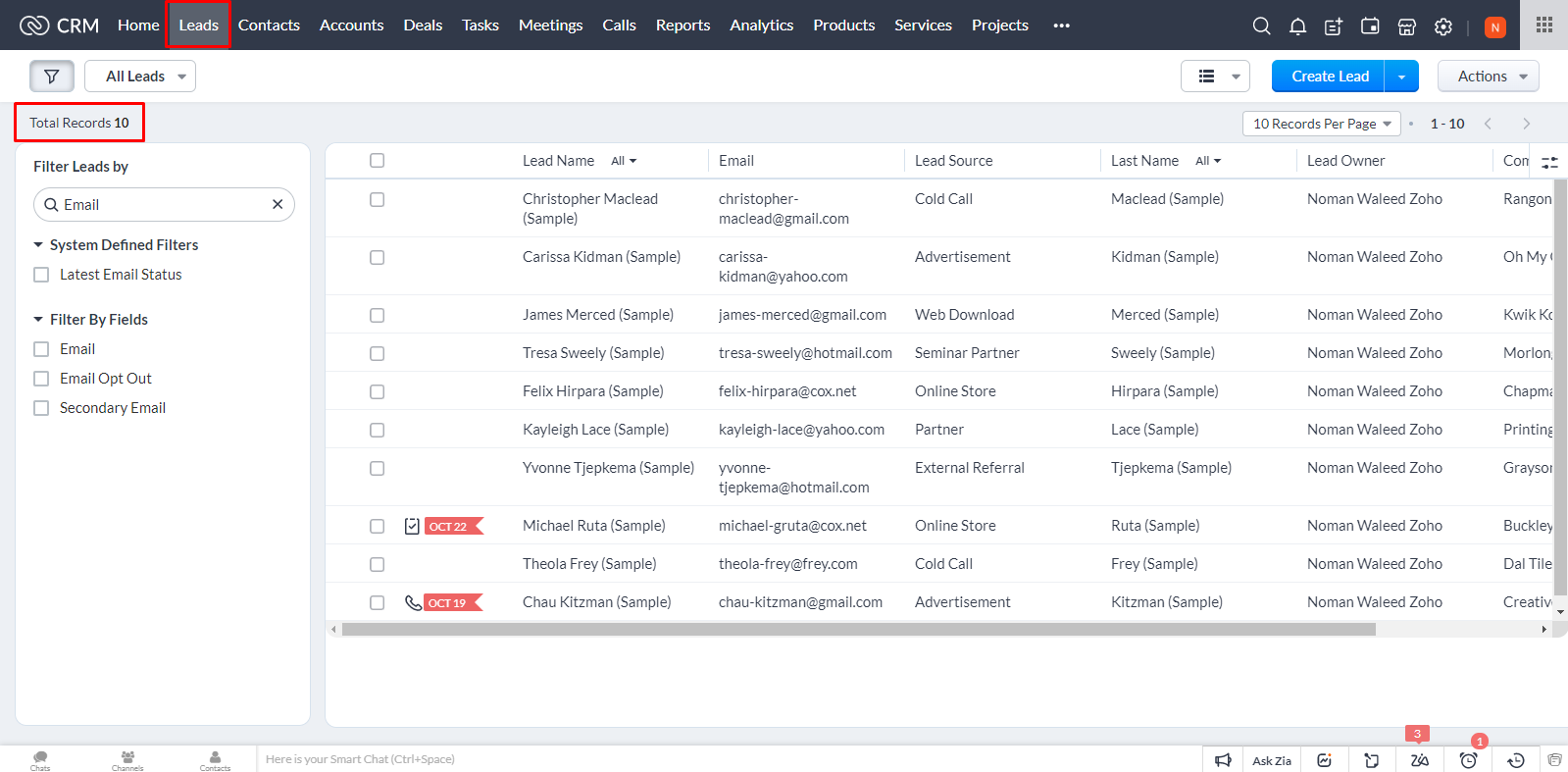
Here is the view Leads Module, all the leads are listed out here.
How to Show or Hide Columns in View in Zoho CRM
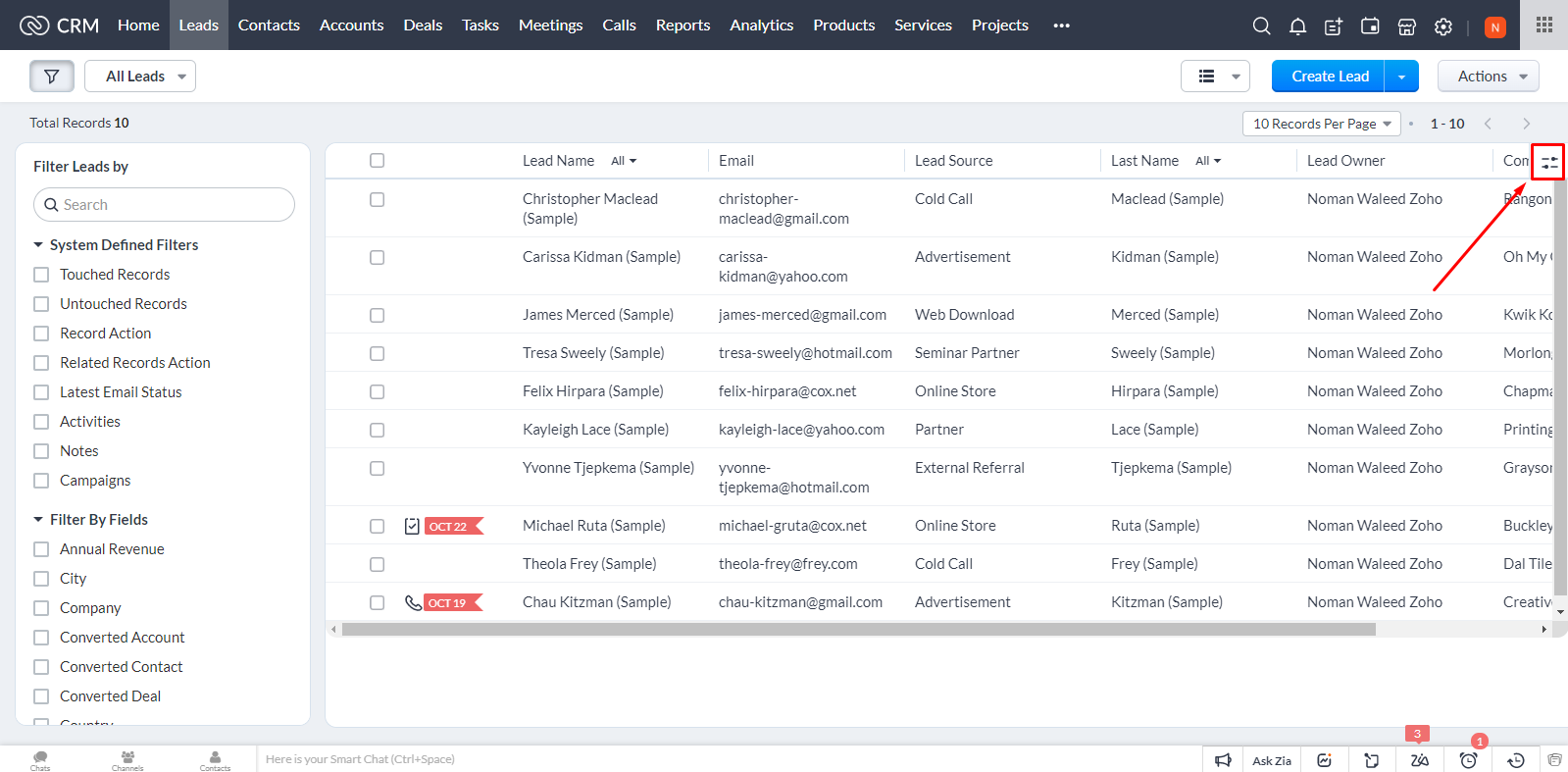
To add or remove Leads, click on icons in top right corner marked below.
How to Show or Hide Columns in View in Zoho CRM
Click Manage Columns

How to Show or Hide Columns in View in Zoho CRM
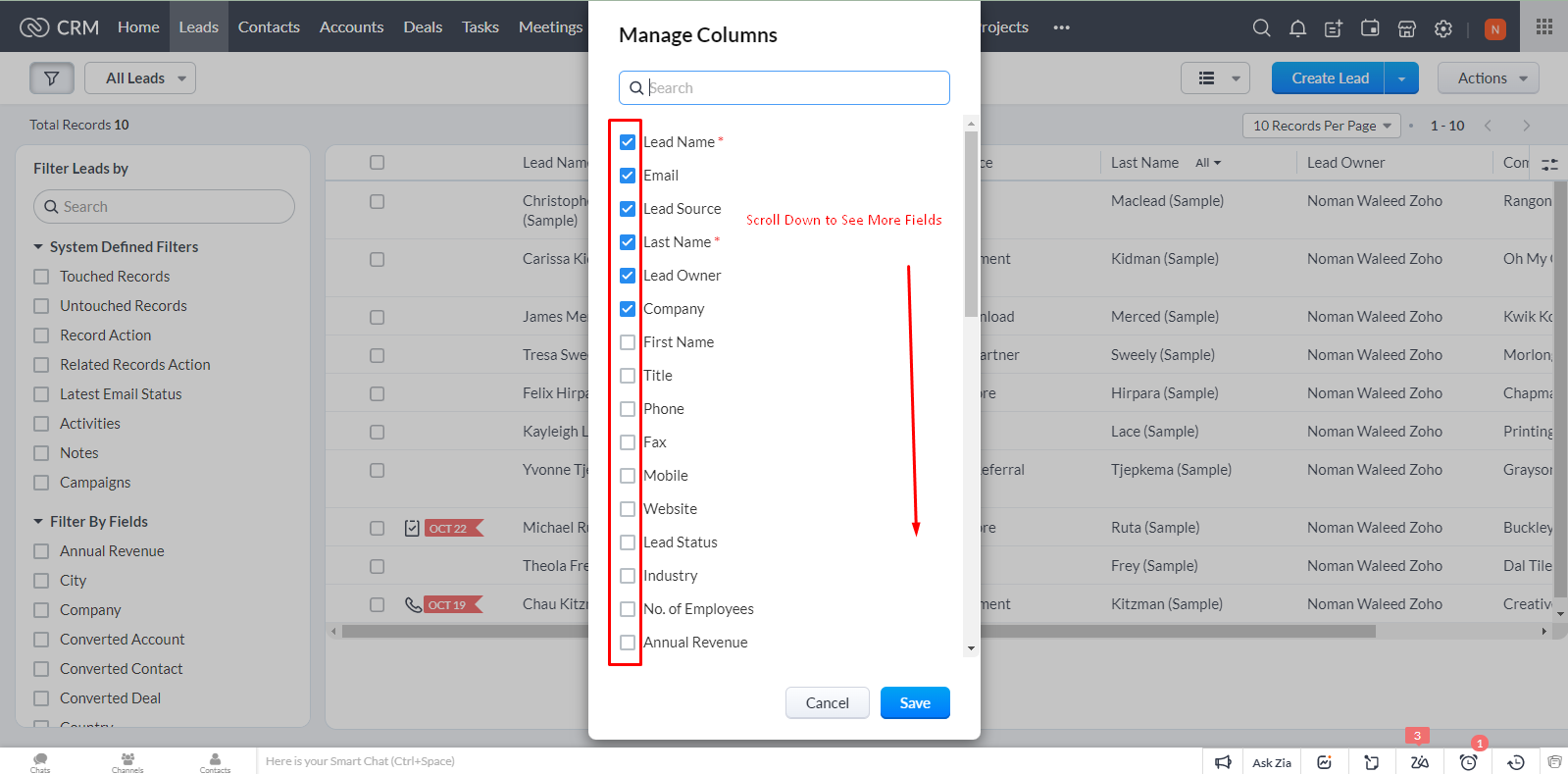
From the Manage Columns dialogue box, you can add or remove any field in the view.
How to Show or Hide Columns in View in Zoho CRM
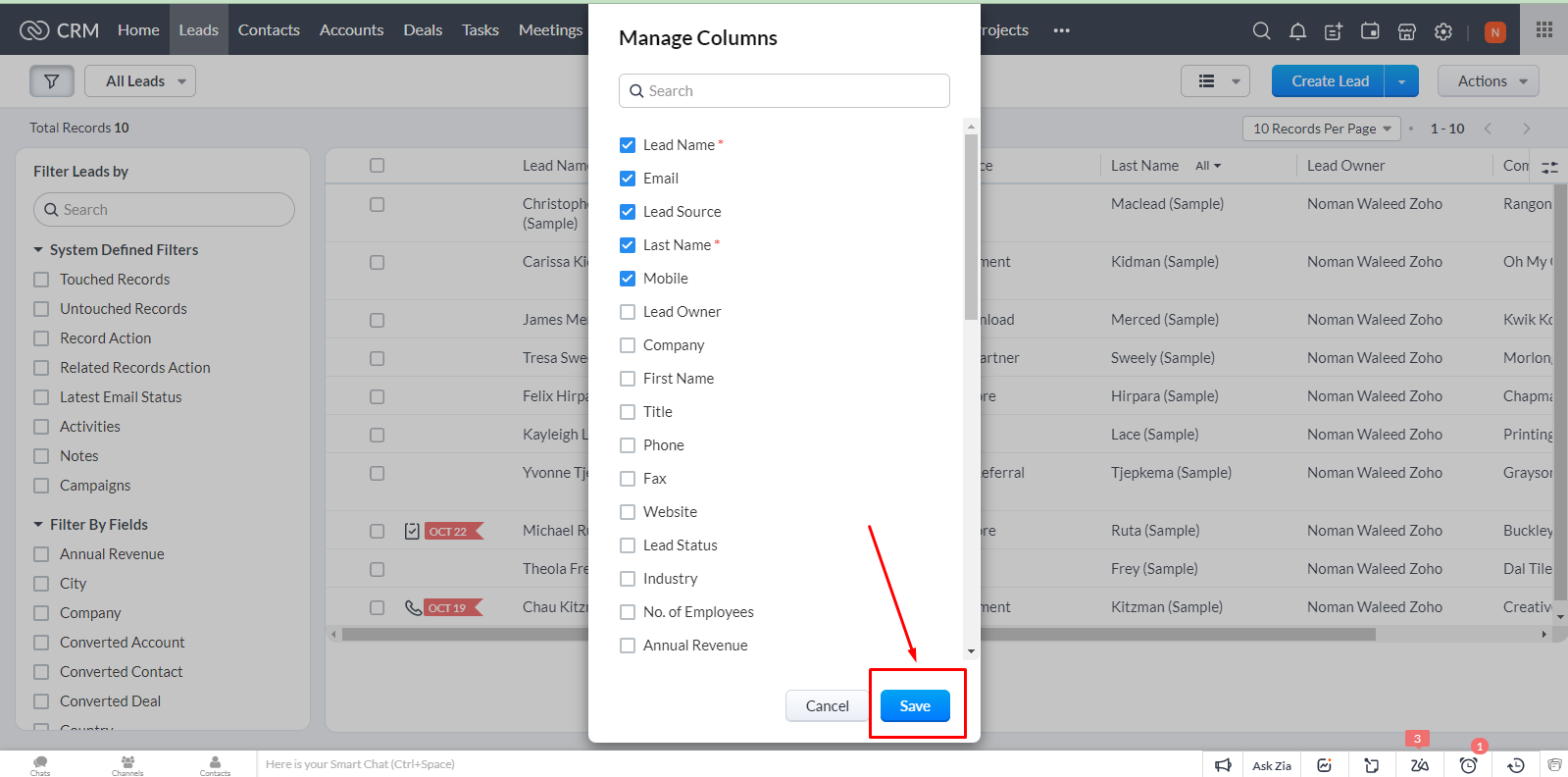
After selecting/unselecting desired fields, click Save.
How to Show or Hide Columns in View in Zoho CRM
You’ll see updated view with fields of your choice.
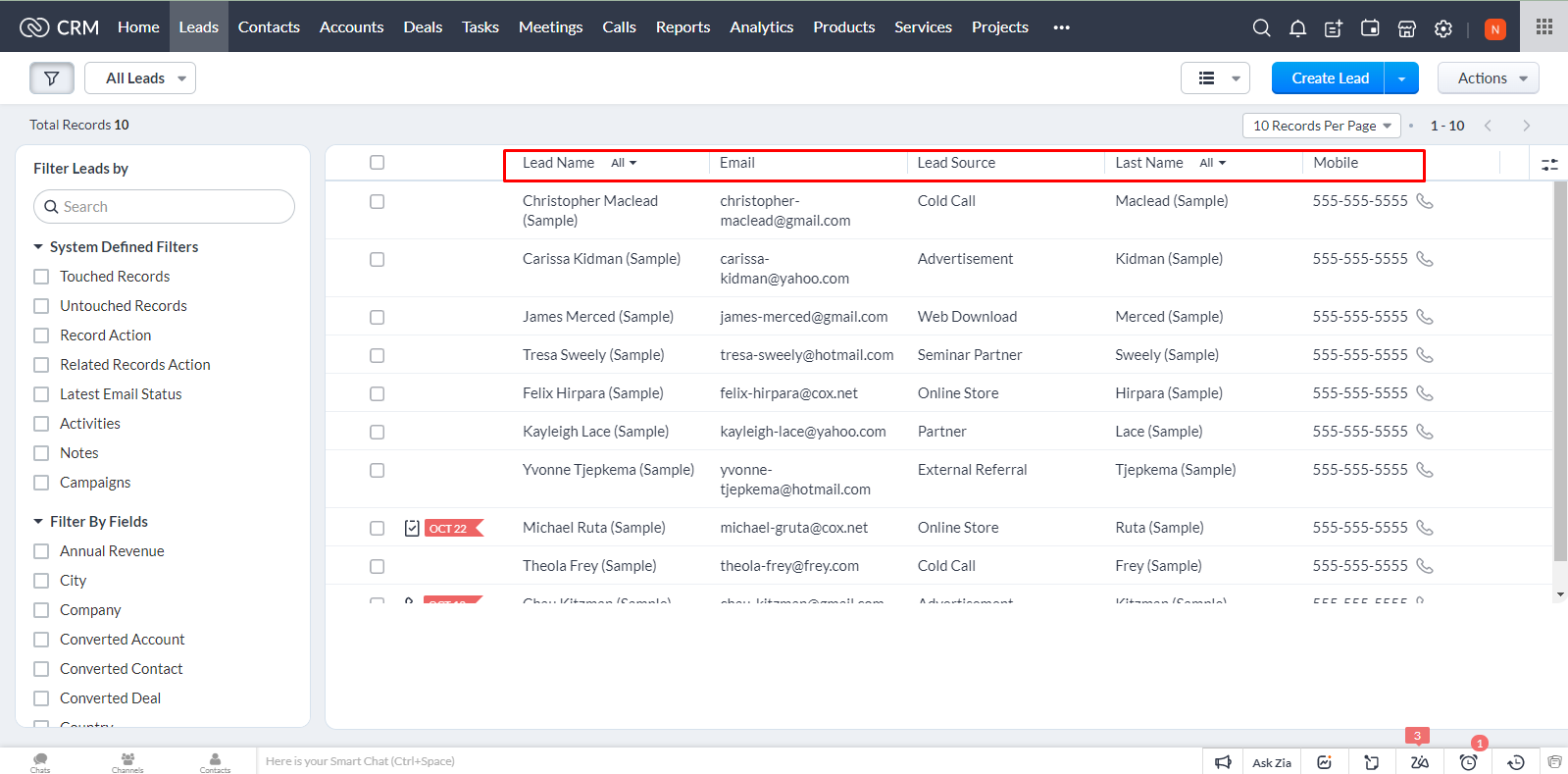
How to Show or Hide Columns in View in Zoho CRM

Video Tutorial

Watch the below step by step video tutorial on how to Show or Hide Columns in Zoho CRM.

Parveen Kumar | Founder @ KG CRM Solutions

About the Author

Parveen Kumar | Founder @ KG CRM Solutions

Parveen Kumar is the founder of KG CRM Solutions, a Zoho Authorised Partner based in Mohali, Punjab. He has been building Zoho systems for businesses across India, the UK, Australia, Canada, and the US for over 7 years, specialising in Zoho CRM, Zoho Creator, Deluge scripting, custom integrations, and widget development.