

New Booking

A client just booked a free CRM consultation

2 min ago · Mumbai, IN

KG CRM Solutions

How to Convert Leads to Deals and Contacts in Zoho CRM?

📅 January 5, 2023How to : Tutorials
How to Convert Leads to Deals and Contacts in Zoho CRM?

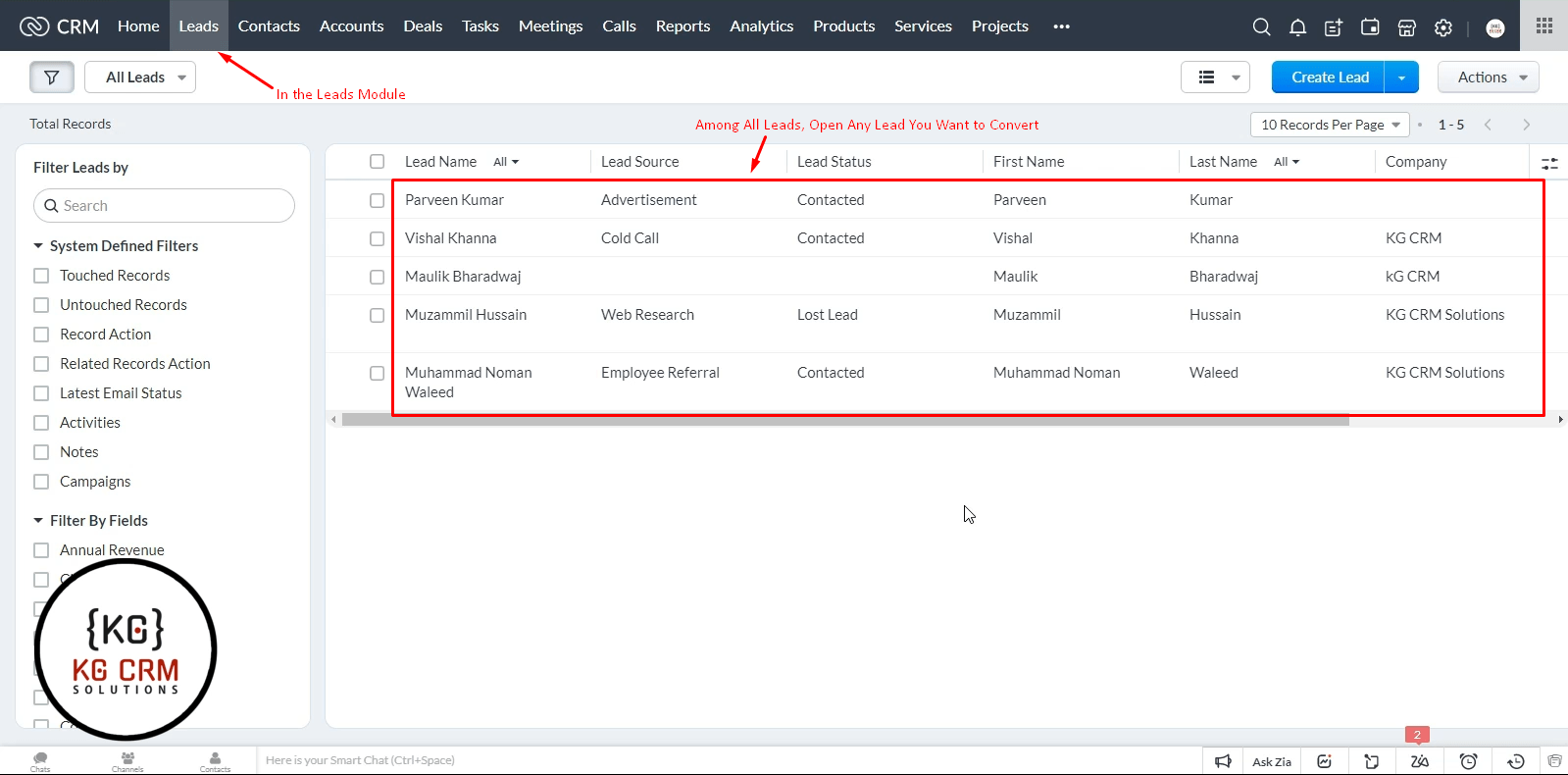
Hello Guys! In this tutorial, we’ll learn, how we can convert Leads to Deals and Contacts in Zoho CRM. In the Leads Module, Open any Lead you want to convert
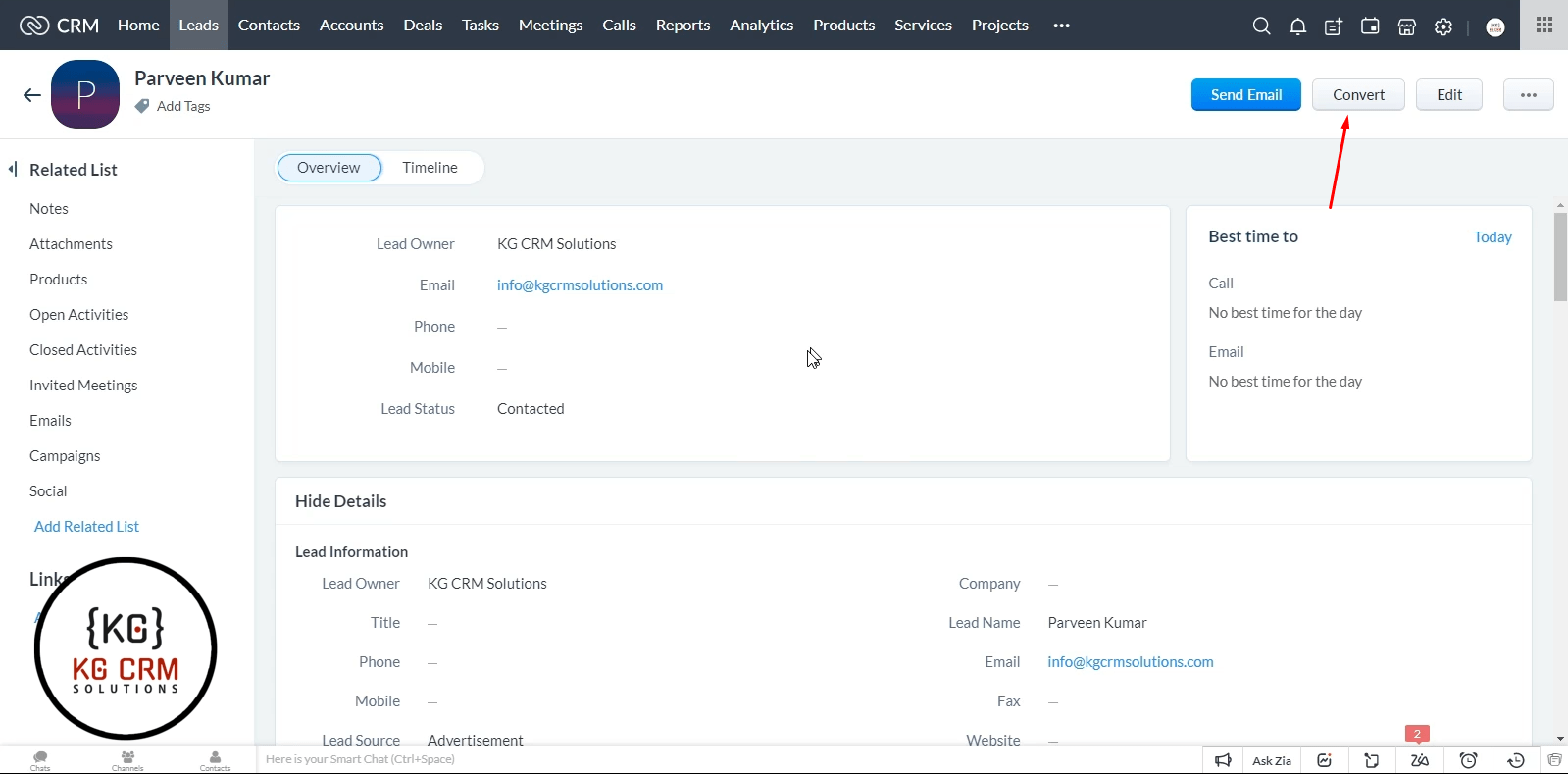
Then click on “Convert” on top right corner.
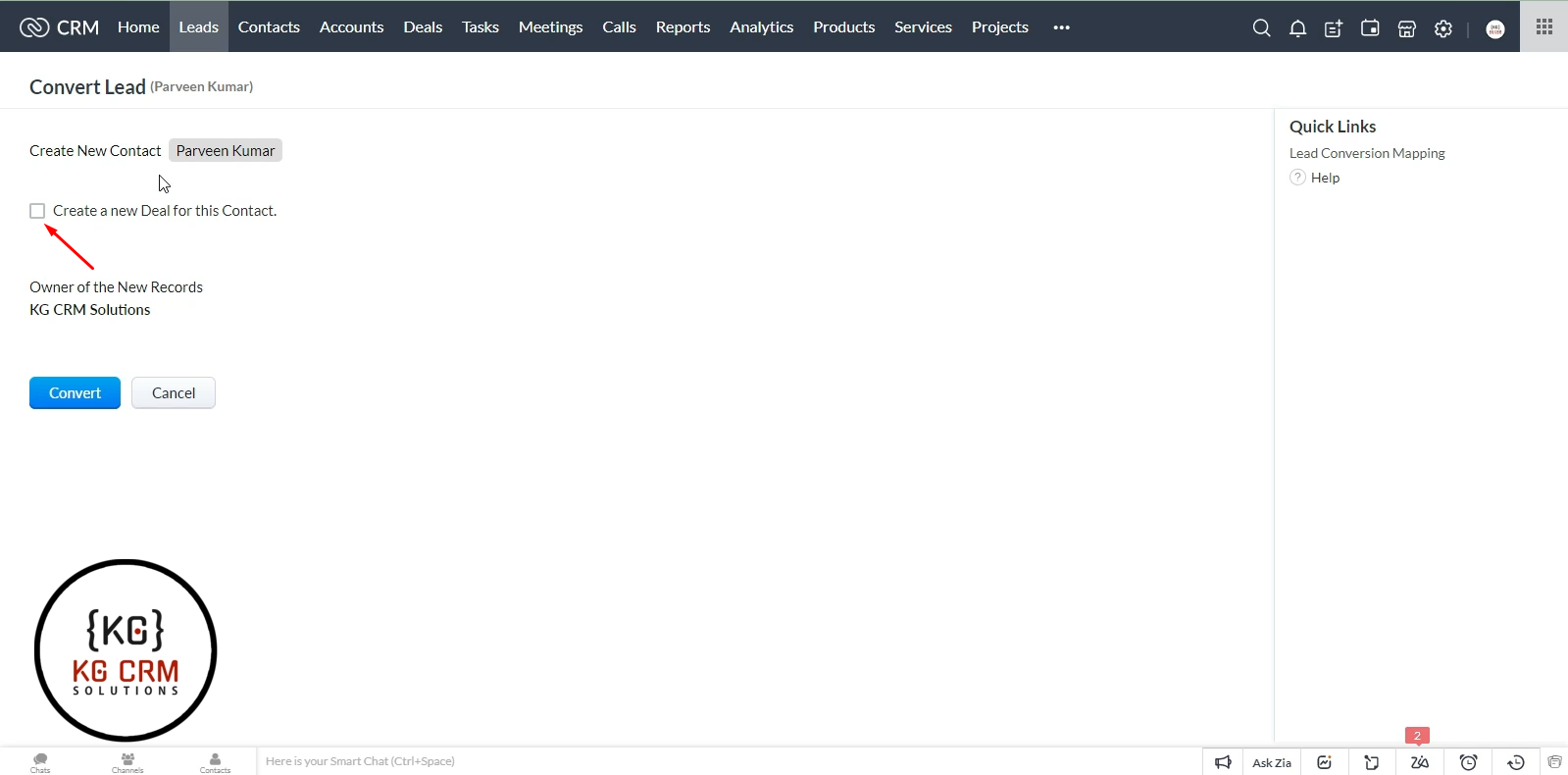
Lead will be be selected to be converted as Contact by default and to convert it to Deal too, just check the “Create a New Deal for this Contact”
You’ll see relevant fields, fill them as per your need and click on “Convert”
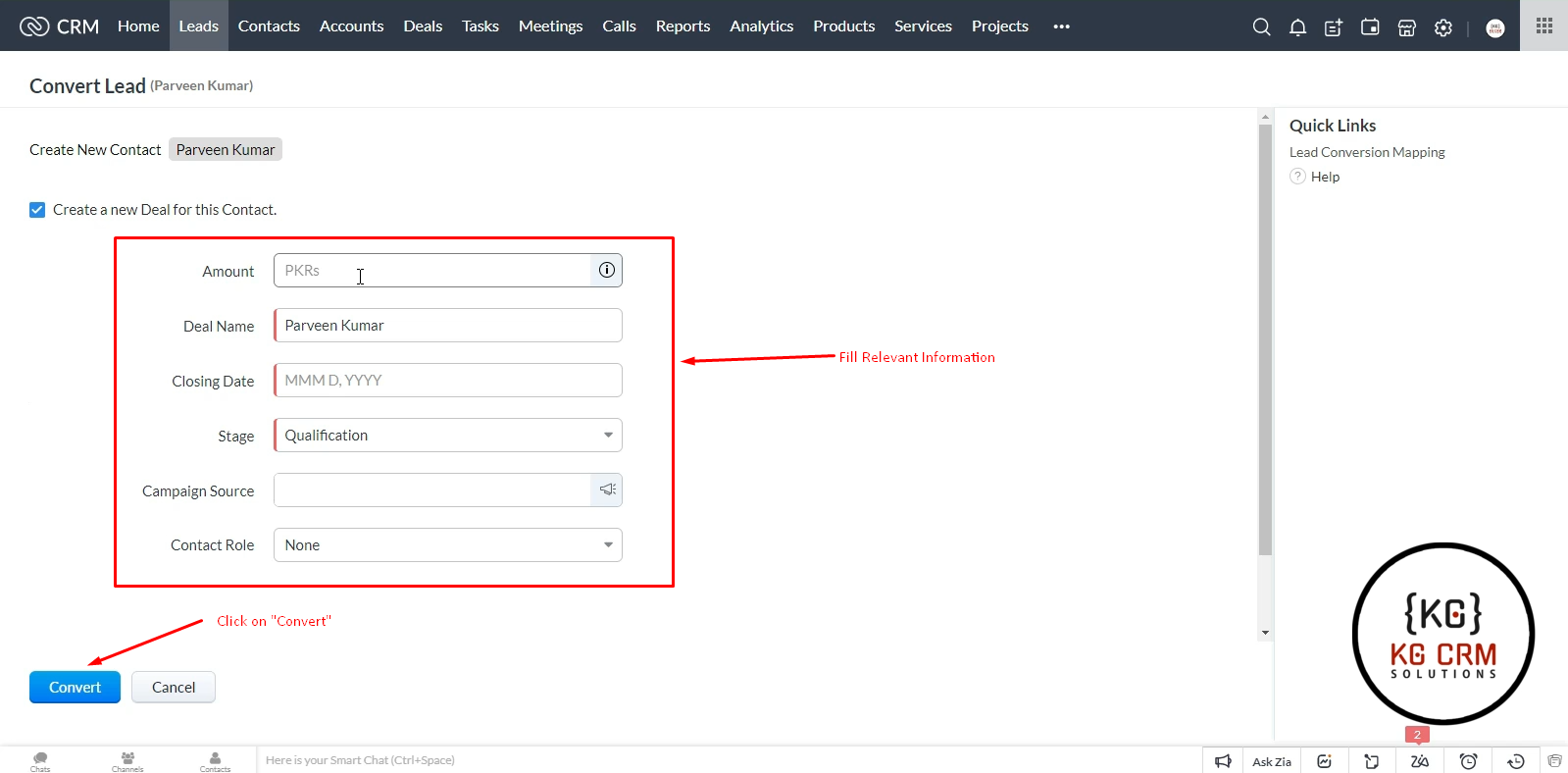
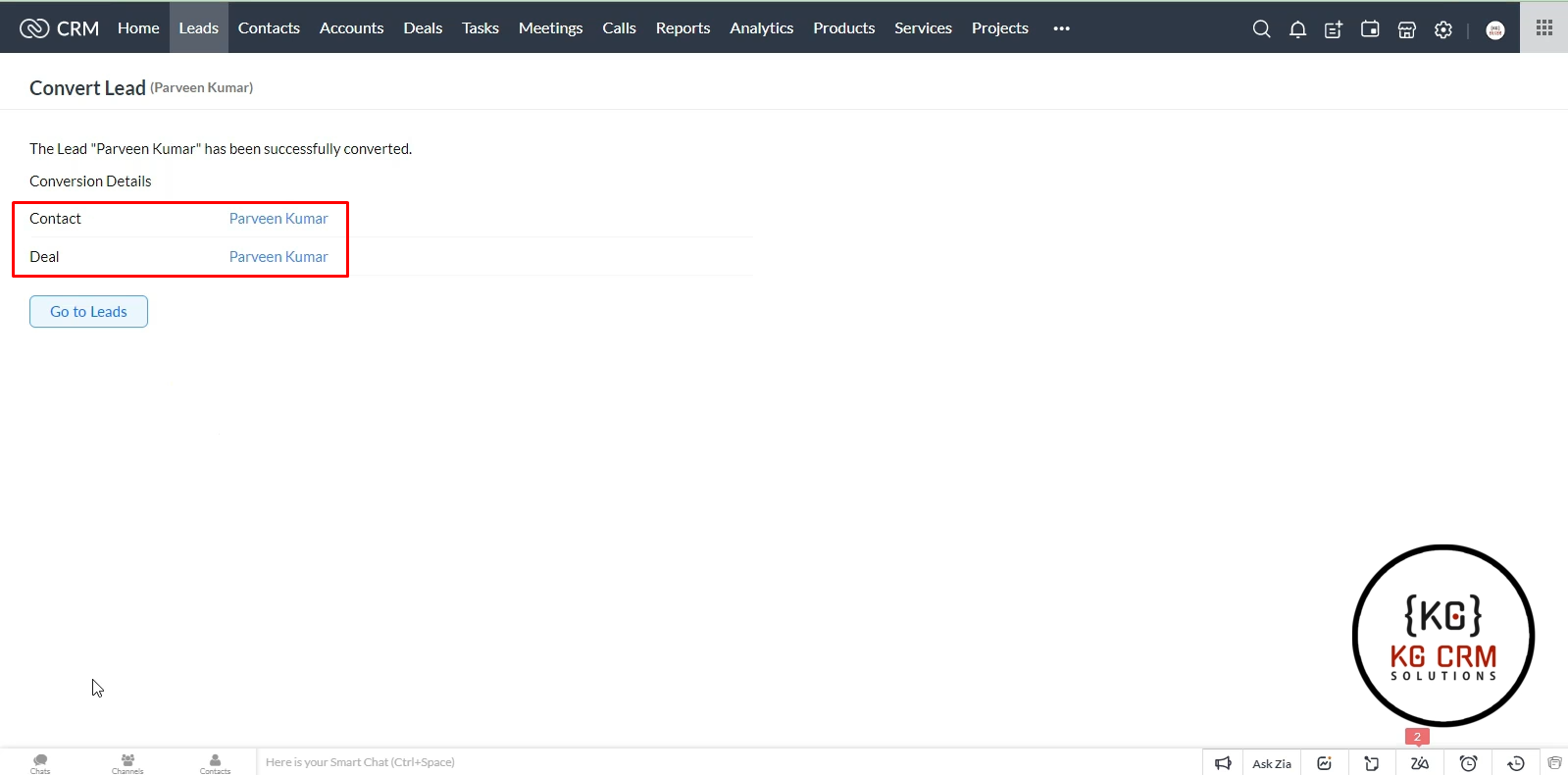
It will convert our Lead to both Contact Deal.
Video Tutorial

Watch the below step by step video tutorial on how to How to Convert Leads to Deals and Contacts in Zoho CRM?

Parveen Kumar | Founder @ KG CRM Solutions

About the Author

Parveen Kumar | Founder @ KG CRM Solutions

Parveen Kumar is the founder of KG CRM Solutions, a Zoho Authorised Partner based in Mohali, Punjab. He has been building Zoho systems for businesses across India, the UK, Australia, Canada, and the US for over 7 years, specialising in Zoho CRM, Zoho Creator, Deluge scripting, custom integrations, and widget development.