
New Booking

A client just booked a free CRM consultation

2 min ago · Mumbai, IN

KG CRM Solutions

How to Add Notes & Attachments to Leads, Deals & Contacts in Zoho CRM?

📅 January 3, 2023How to : Tutorials
How to Add Notes & Attachments to Leads, Deals & Contacts in Zoho CRM?

In this tutorial, we’ll learn, How We Can Add Notes & Attachments to Leads, Deals & Contacts in Zoho CRM?

For Example: We want to add Notes and Attachments in a Lead.

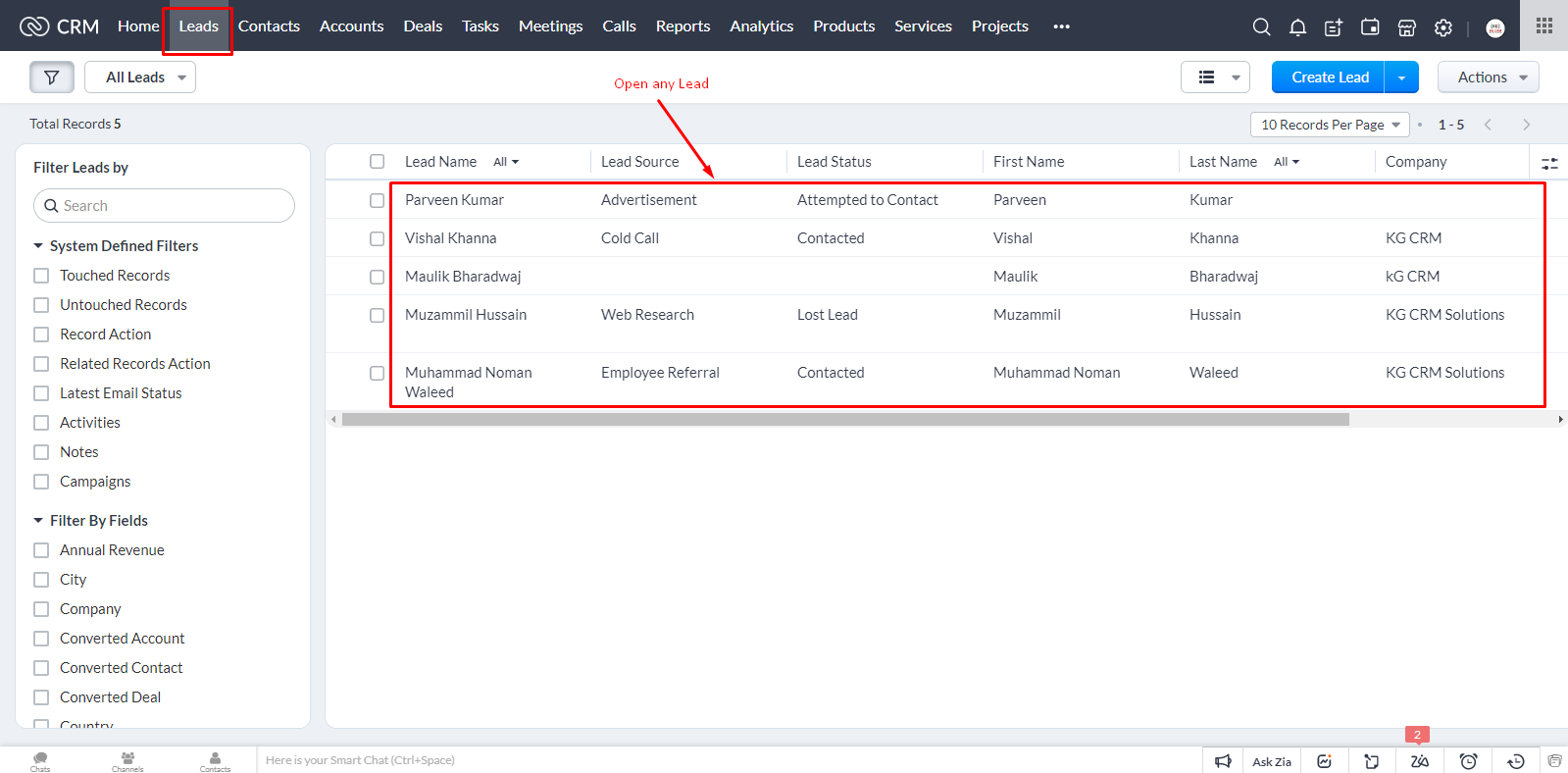
In Leads Module, Open any Lead in which you want to add notes and attachments.
How to Add Notes & Attachments to Leads, Deals & Contacts in Zoho CRM?

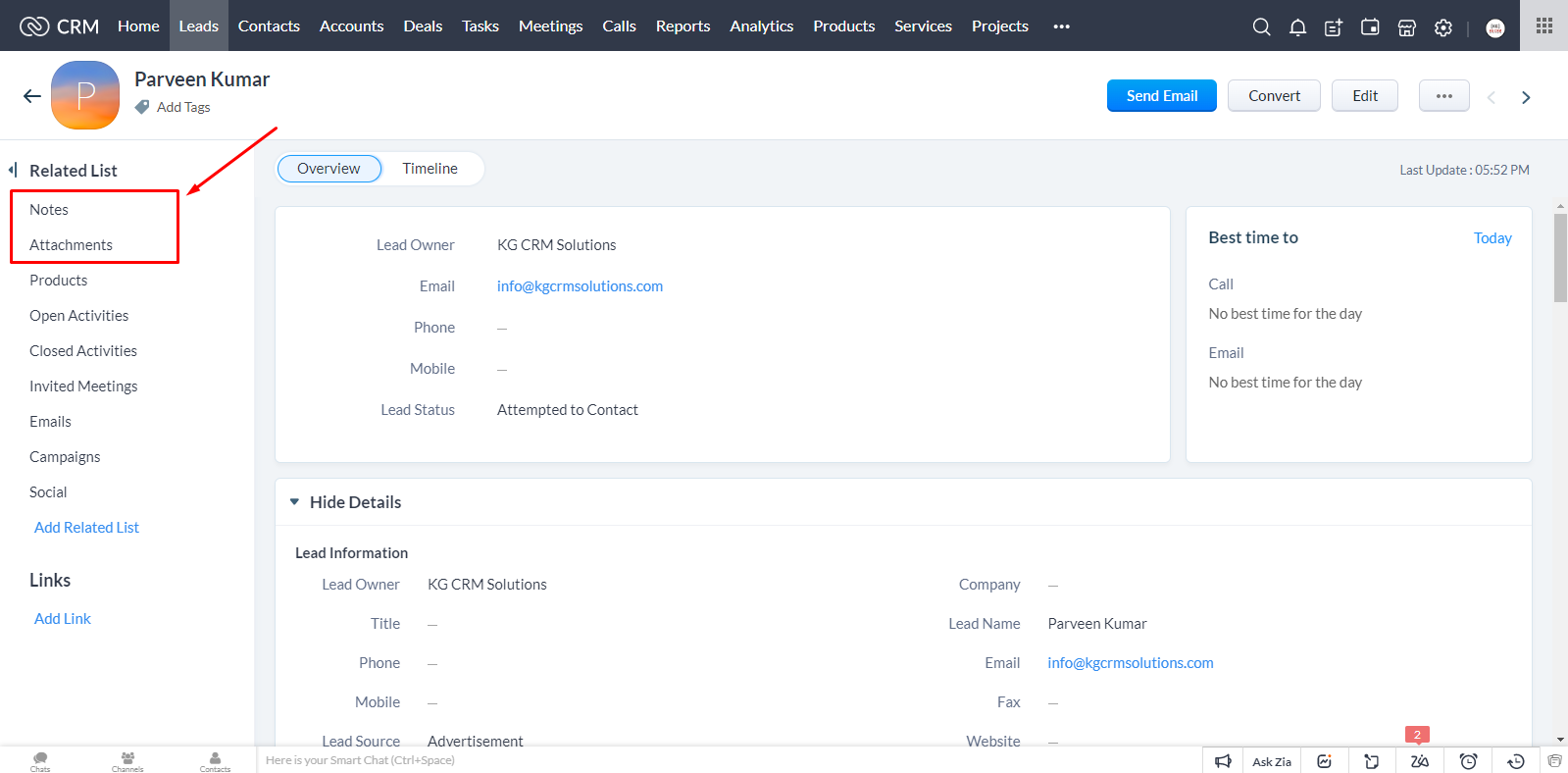
From the Top Left corner, click on Notes
How to Add Notes & Attachments to Leads, Deals & Contacts in Zoho CRM?
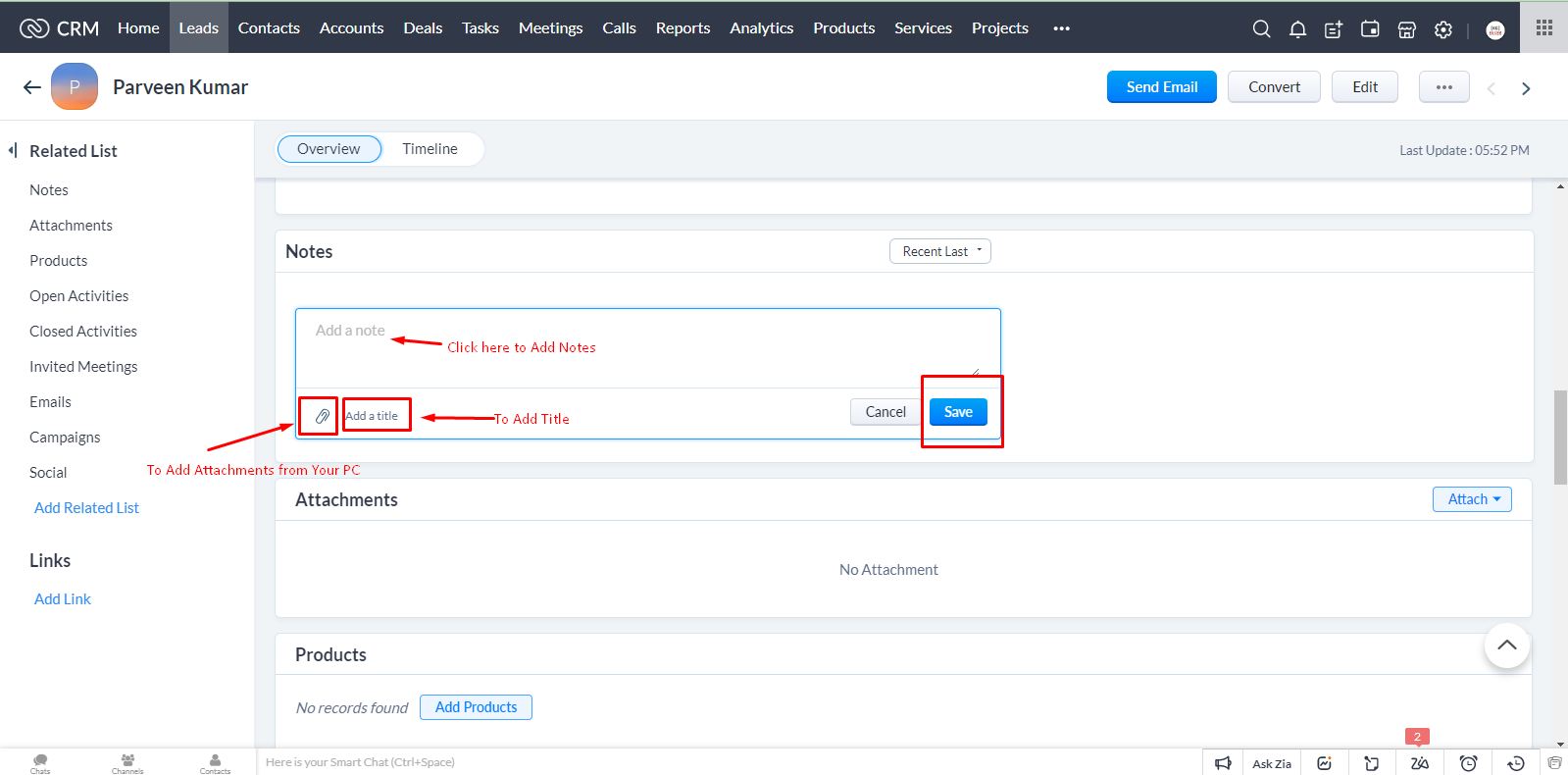
From here, you can add any notes to this Lead. You can add title. You can attach any file with this Notes.
How to Add Notes & Attachments to Leads, Deals & Contacts in Zoho CRM?
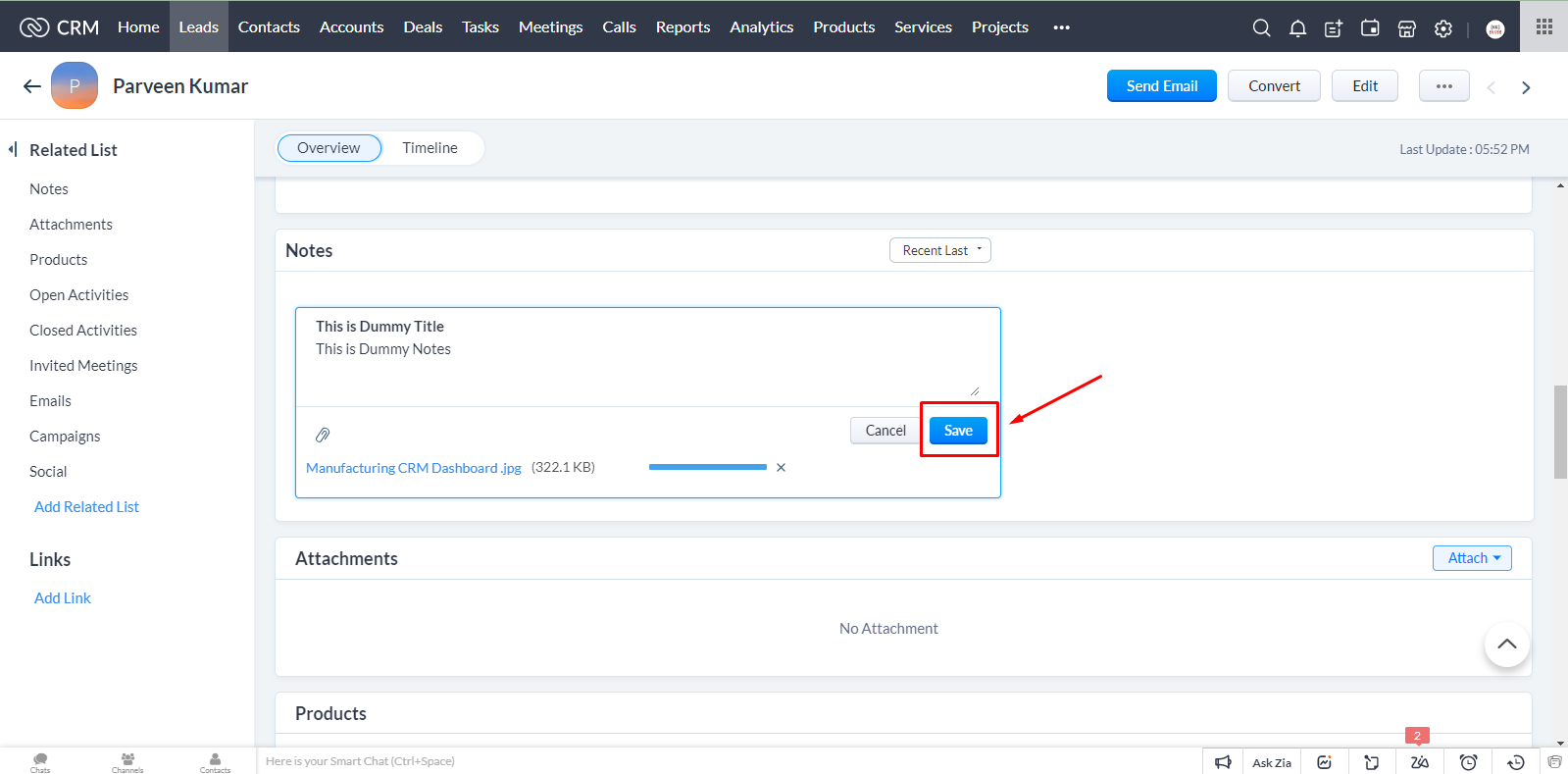
After adding details, click on Save.

How to Add Notes & Attachments to Leads, Deals & Contacts in Zoho CRM?
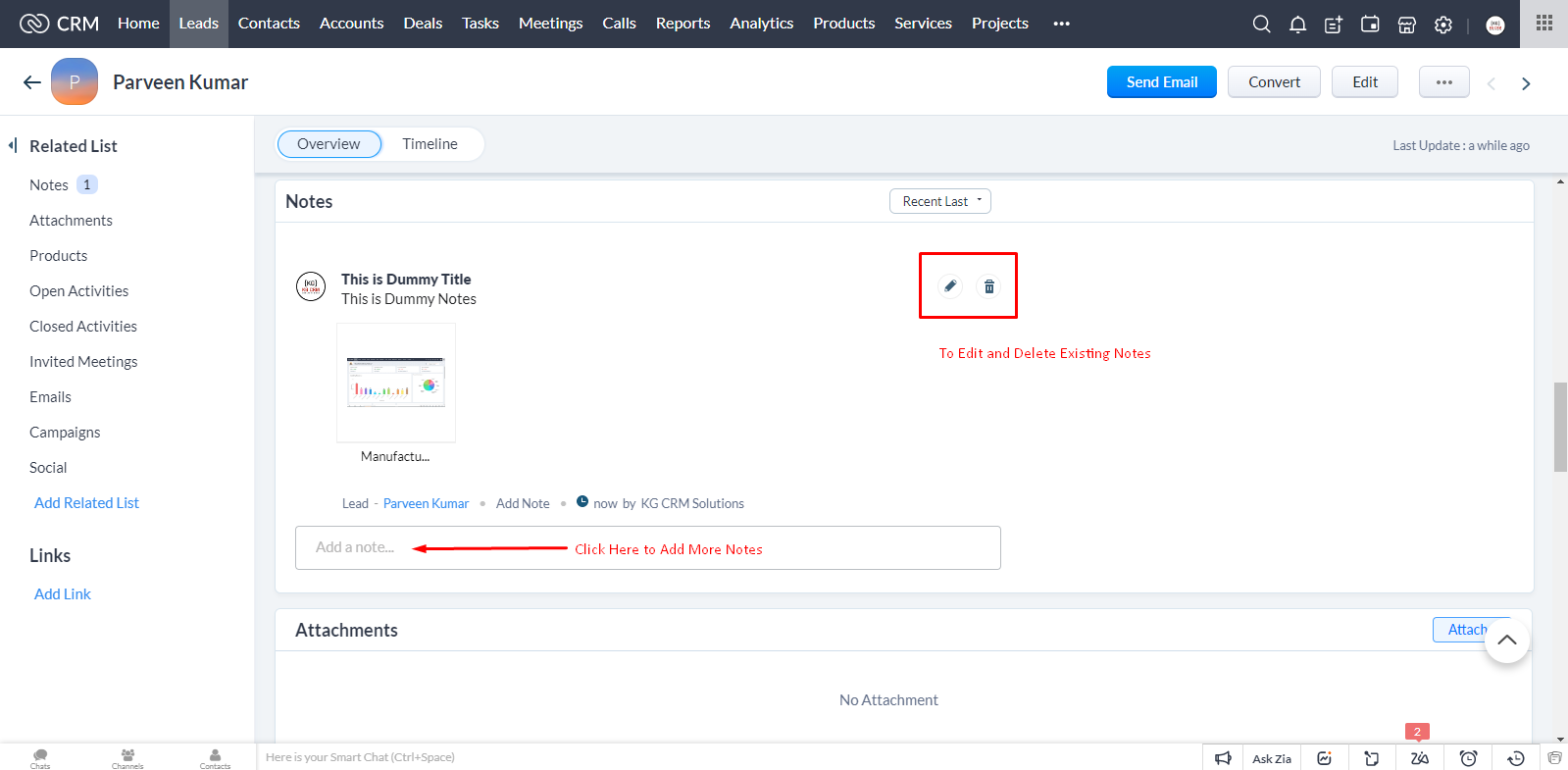
Note is added successfully. You can add more notes, edit or delete existing notes.
How to Add Notes & Attachments to Leads, Deals & Contacts in Zoho CRM?

Attachments:

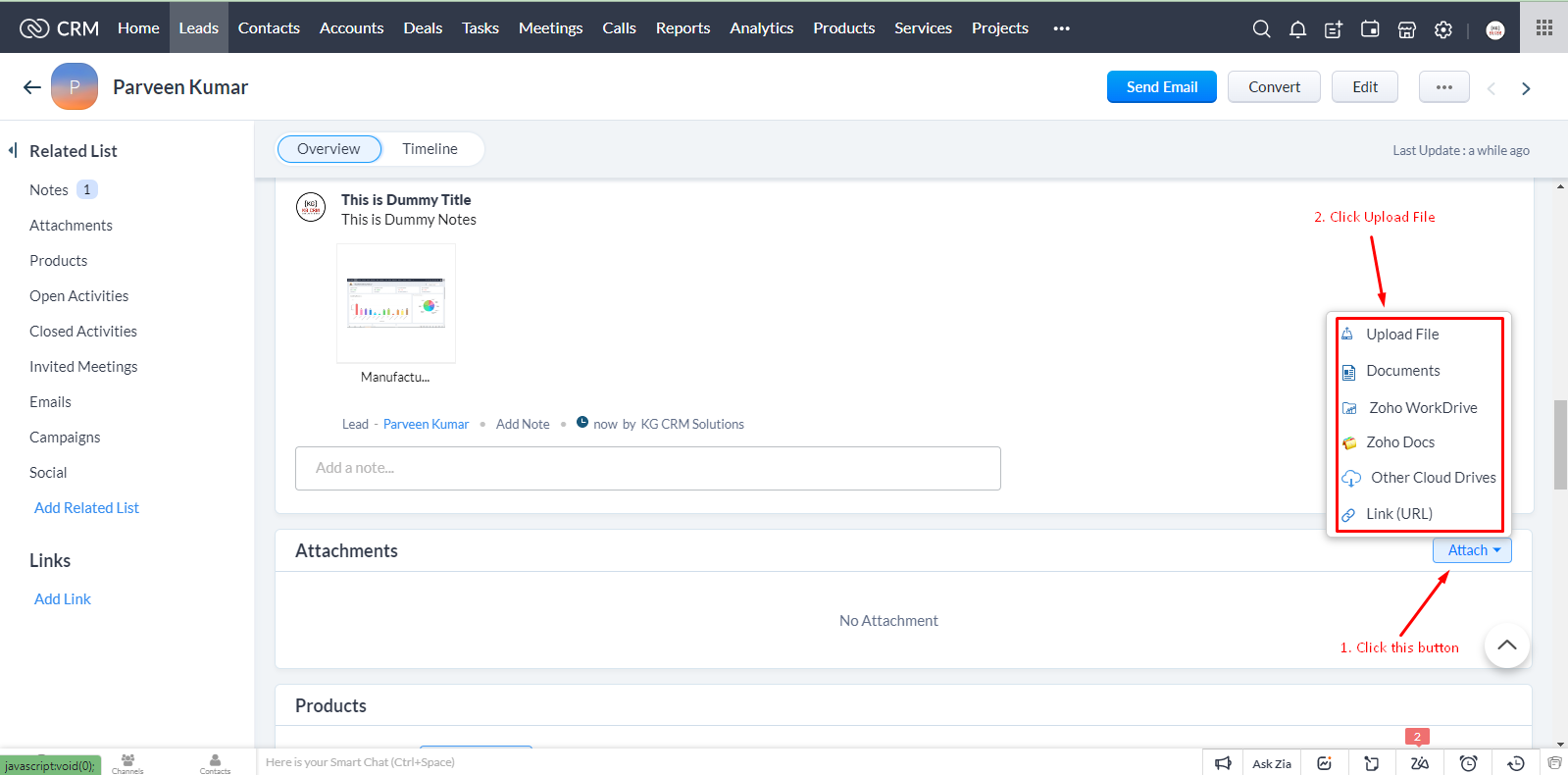
To add attachments, click Attach button in Attachments section

You can attach files from six sources:
1. Upload File: means you can attach any file from your device.
2. Documents: means you can attach any document
3. Zoho WorkDrive: means if there is any file in your Zoho WorkDrive’s strorage, you can link it too.
4. Zoho Docs: means you can attach file from Zoho Docs
5. Other Clound Drives: to upload files from other cloud drives
6. Link URL: to upload file from any URL
How to Add Notes & Attachments to Leads, Deals & Contacts in Zoho CRM?

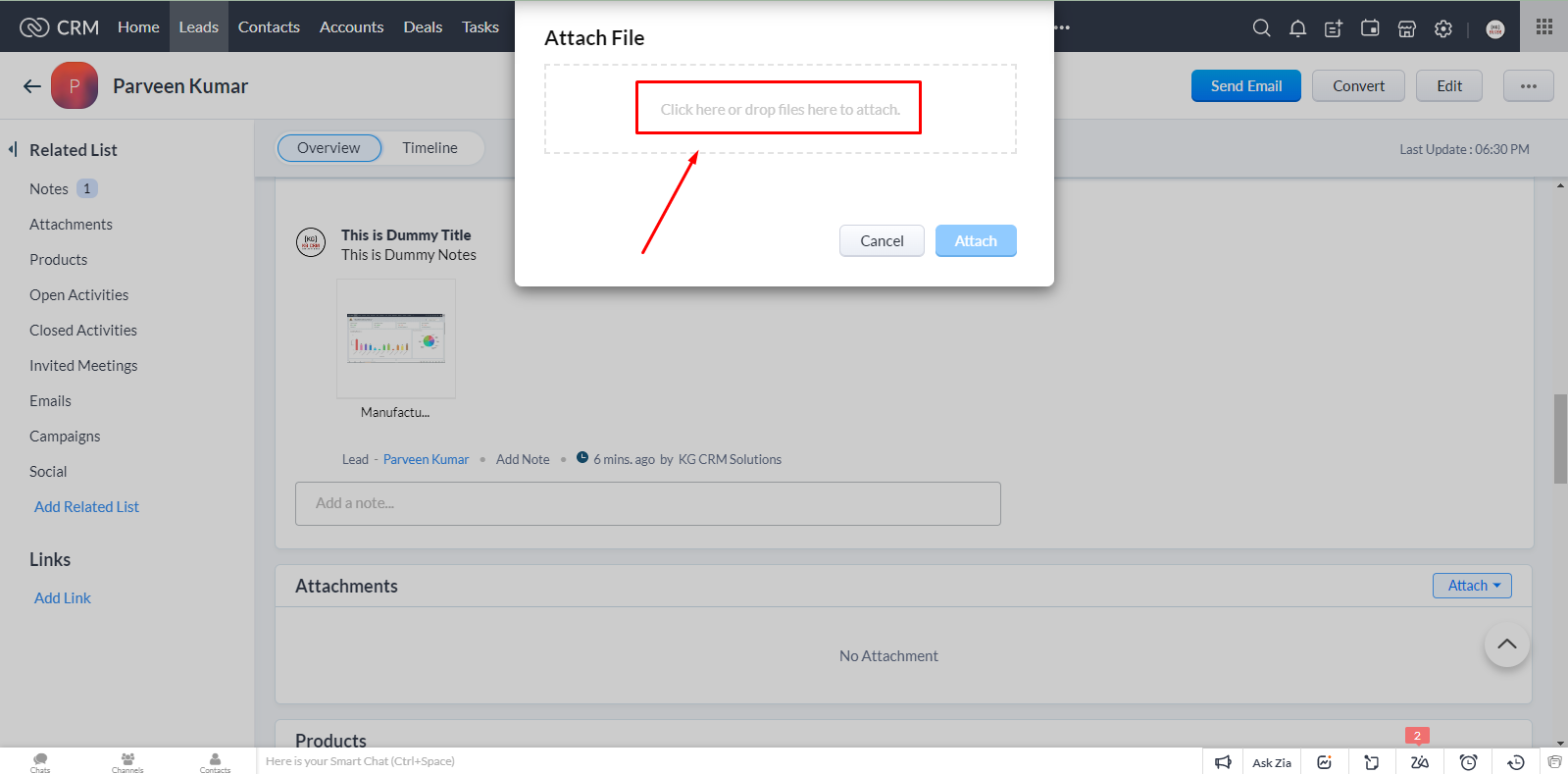
Click on first option, Upload File. You’ll see two options:

  1. Click and Upload file
  2. Drag your file

Click on the marked area and browse the file to upload.
How to Add Notes & Attachments to Leads, Deals & Contacts in Zoho CRM?

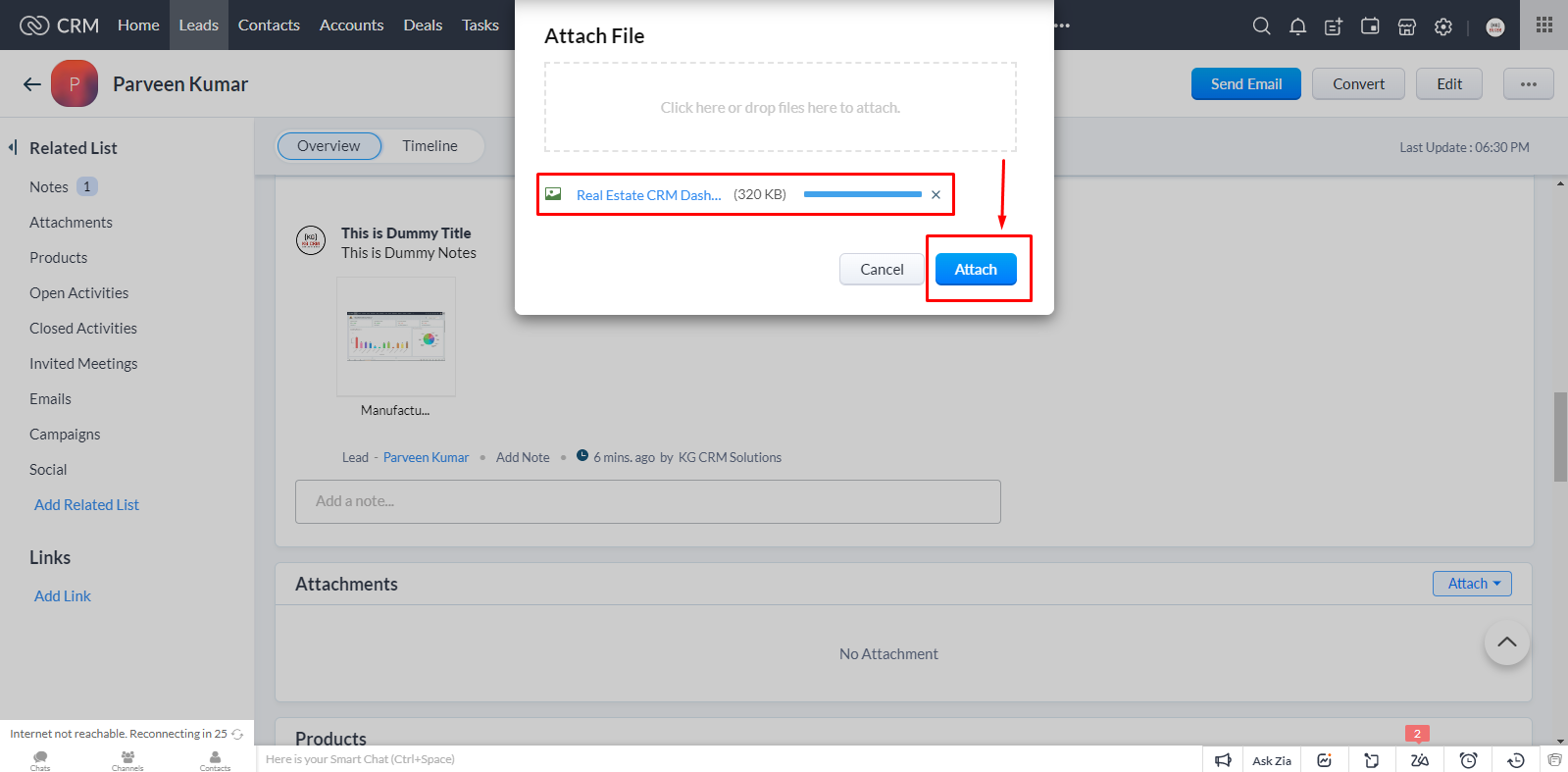
Once the file is uploaded, click on Attach and file be added as an attachment.
How to Add Notes & Attachments to Leads, Deals & Contacts in Zoho CRM?

You can View, Download and Delete existing files and from Attach button, you can attach new files.
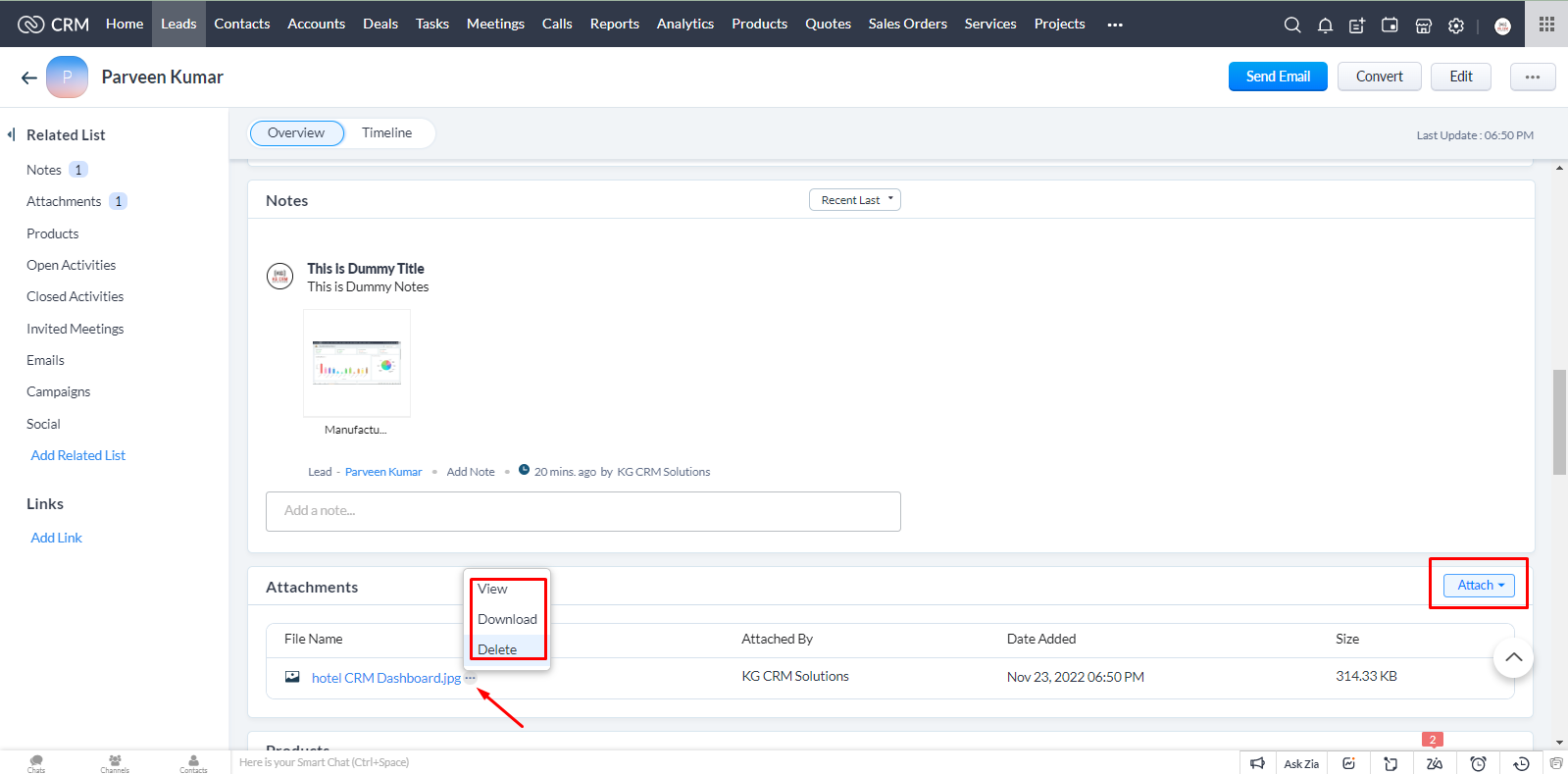
How to Add Notes & Attachments to Leads, Deals & Contacts in Zoho CRM?

Video Tutorial

Watch the below step by step video tutorial on how to Add Notes and Attachments in Leads, Deals and Contacts in Zoho CRM?

Parveen Kumar | Founder @ KG CRM Solutions

About the Author

Parveen Kumar | Founder @ KG CRM Solutions

Parveen Kumar is the founder of KG CRM Solutions, a Zoho Authorised Partner based in Mohali, Punjab. He has been building Zoho systems for businesses across India, the UK, Australia, Canada, and the US for over 7 years, specialising in Zoho CRM, Zoho Creator, Deluge scripting, custom integrations, and widget development.