
New Booking

A client just booked a free CRM consultation

2 min ago · Mumbai, IN

KG CRM Solutions

Zoho CRM Blog

Stay updated with the latest insights, tips, and news about Zoho CRM and business automation

How to Add Notes & Attachments to Leads, Deals & Contacts in Zoho CRM?

In this tutorial, we’ll learn, How We Can Add Notes & Attachments to Leads, Deals & Contacts in Zoho CRM?

For Example: We want to add Notes and Attachments in a Lead.

In Leads Module, Open any Lead in which you want to add notes and attachments.
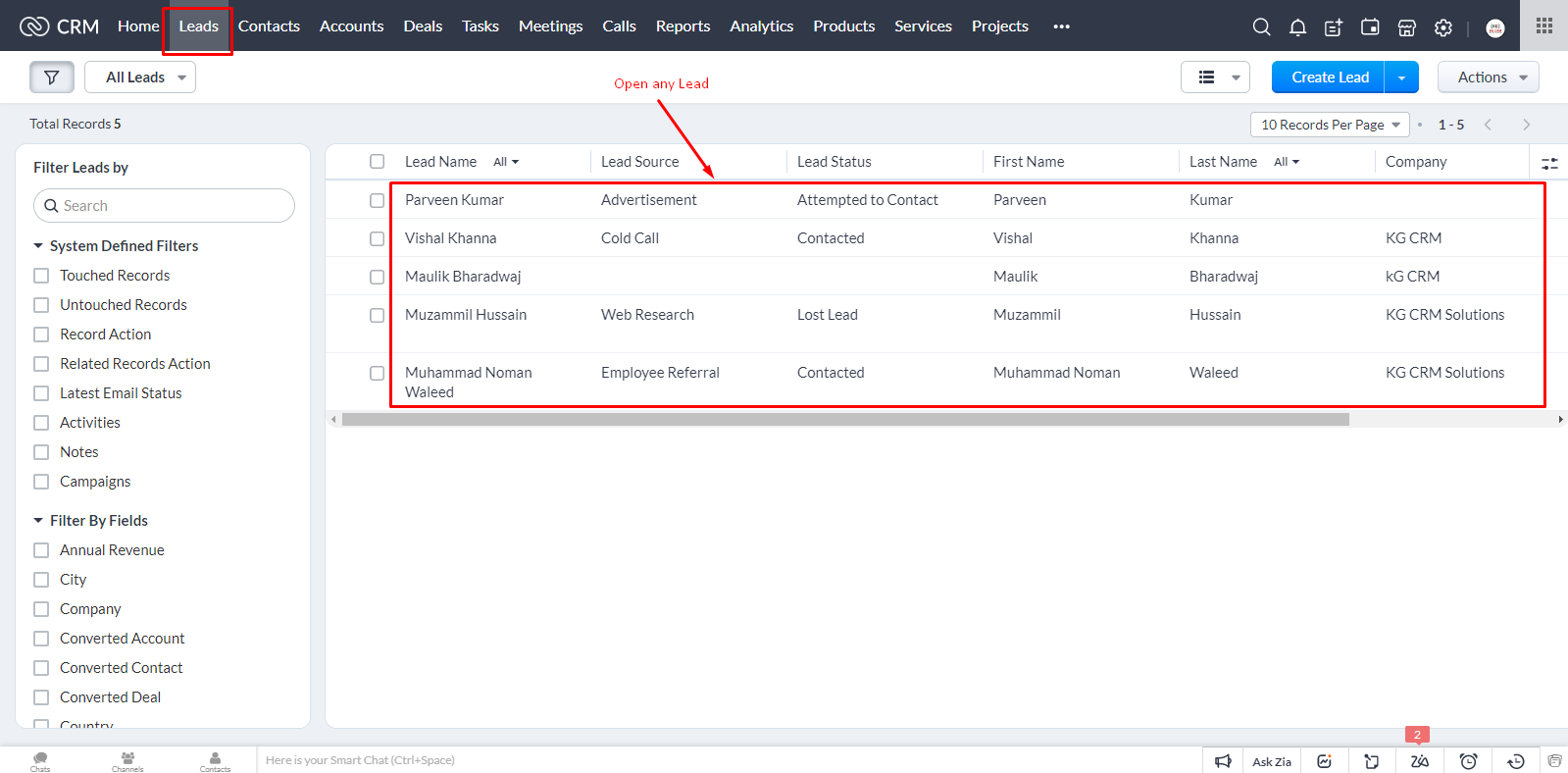
How to Add Notes & Attachments to Leads, Deals & Contacts in Zoho CRM?

From the Top Left corner, click on Notes
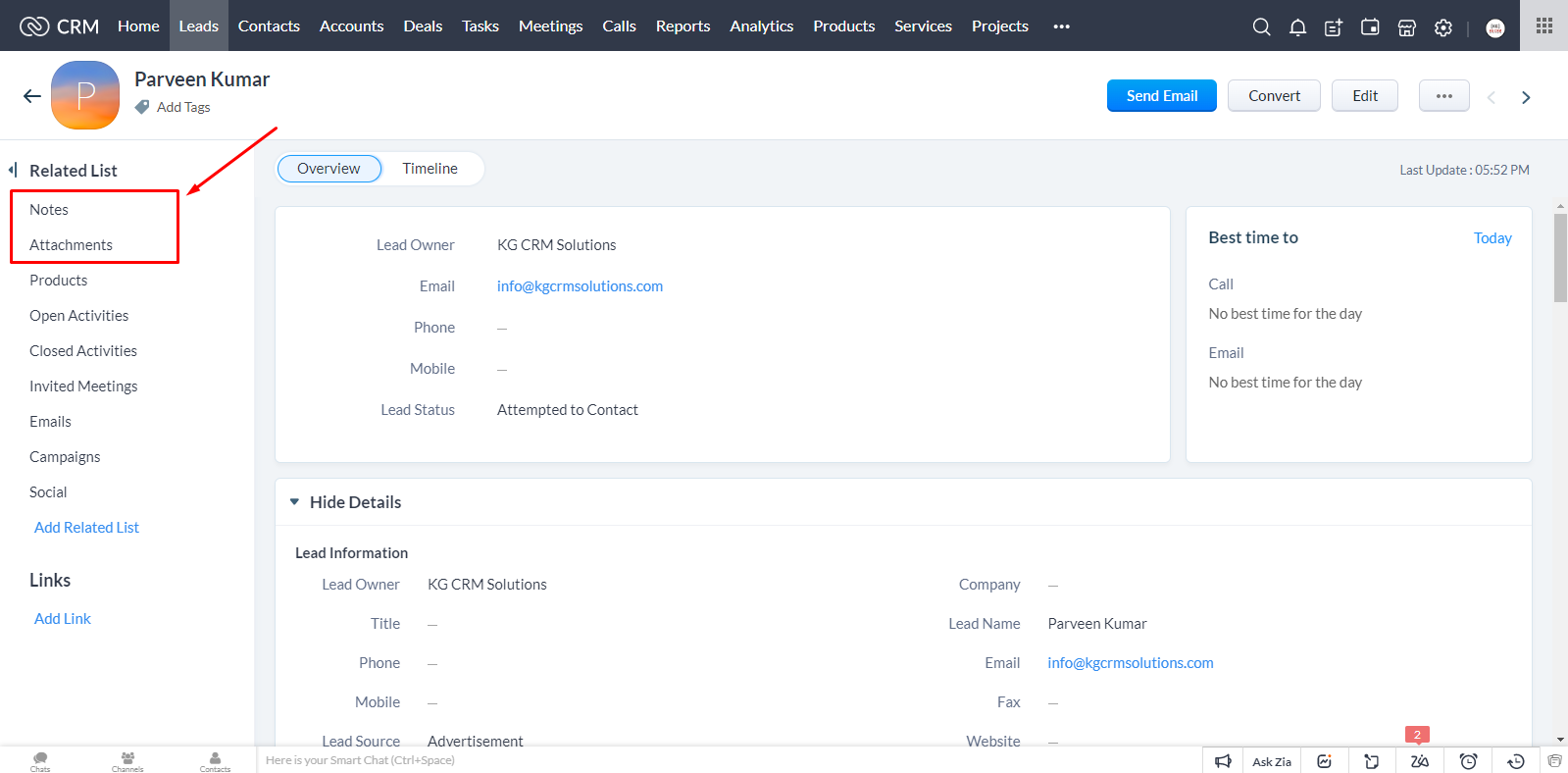
How to Add Notes & Attachments to Leads, Deals & Contacts in Zoho CRM?
From here, you can add any notes to this Lead. You can add title. You can attach any file with this Notes.
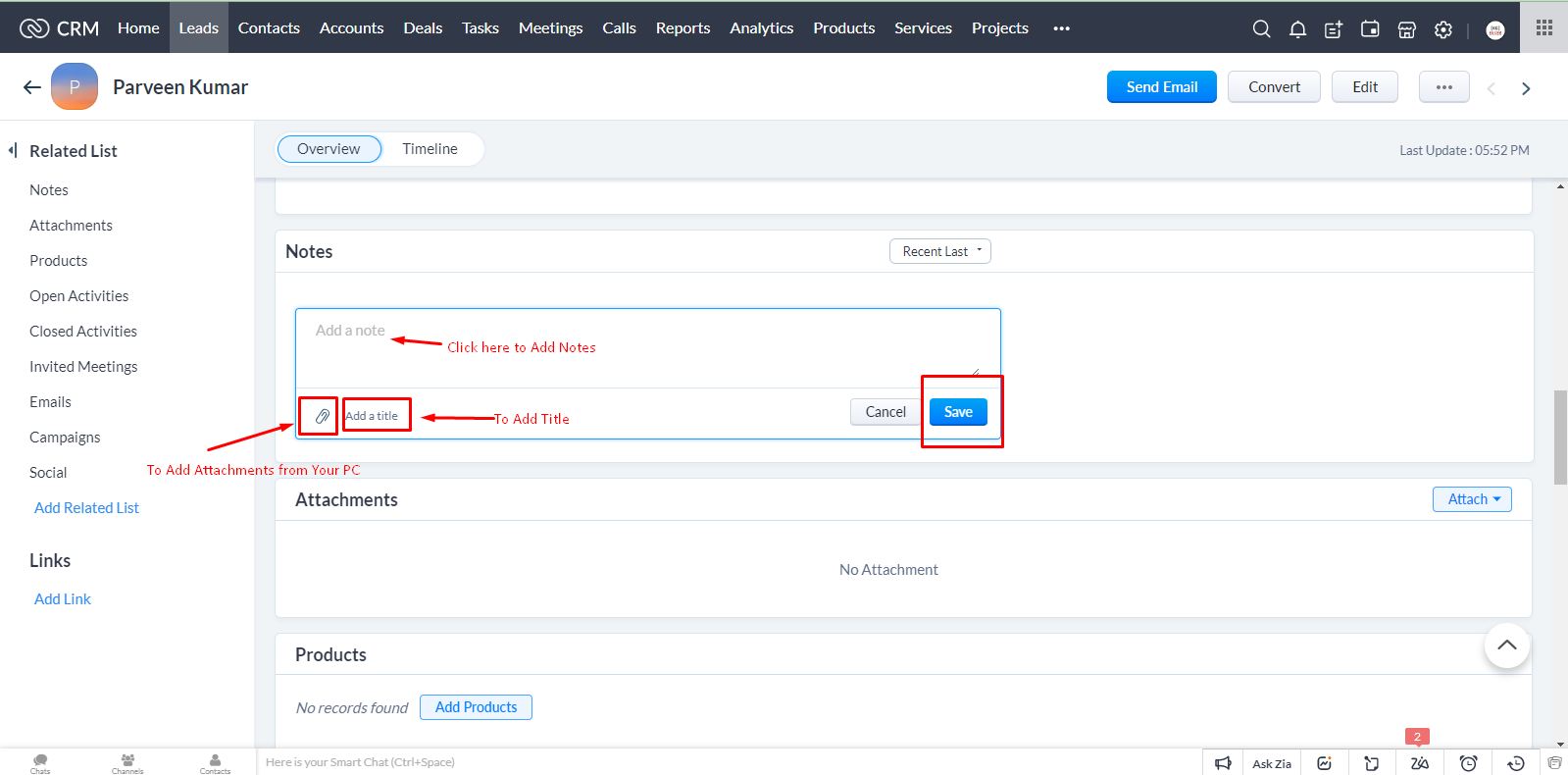
How to Add Notes & Attachments to Leads, Deals & Contacts in Zoho CRM?
After ad...

Zoho One – The One Operating System To Grow Faster!

Today, more people are turning away from traditional business management processes toward one operating system to get whatever they want on the go. Hence Zoho One has become a fantastic software for those willing to manage business processes and on-demand tools. It is a Cloud Software Suite and SaaS Application that helps manage your business without hassles.

So, here is a question: Is Zoho One Software wo...

What is a KPI Dashboard? [Updated Guide]

Are you wondering What is a KPI Dashboard? and how the KPI Dashboards are helpful for your business? No Worries, you have come to the right place!

KPI is a Key Performance Indicator that helps to monitor metrics and evaluate business performance to make data-driven decisions. KPI Dashboards help to unite data sources and get a glance of visual feedback on your business performance with advanced KPI tools.

...
How To Create Custom Forms And Reports Using Widgets

Many users asked this many times, “How can I create custom forms and reports using widgets”. Depending on how the question is perceived, the answer is, “You can make your customized bar chart or pie chart based on the data with easy-to-use software tools.

However, you can show arbitrary HTML in a widget that embeds complete reports. This blog will discuss using Widgets to create custom forms and reports in ...

Top Five Features Of Zoho Books – Best Accounting Software

Accounting software should have invaluable capabilities for any business, regardless of size or industry.

Choosing well-performing accounting software is quite a challenge! Accounting is the practice of recording and communicating all financial information.

We at KG CRM SOLUTIONS provide the Best Accounting Software with the right and ideal features for your organisation to manage internal and external aud...

How to Create Conditional Layout

How to Create Conditional Layout

📅 December 27, 2022

The conditional layout plays a vital role in Zoho CRM. It manages dependency between fields in layouts You can have a look here.

For Instance: In The Lead information the particulars required for Interviewers may have a different dependency on the interview type-

Pre-interview form or a Post-interview form.

If you will Choose the Pre-interview form then it will show the form for only Pre-interview form Inst...

How to Renew Your Zoho Subscription?

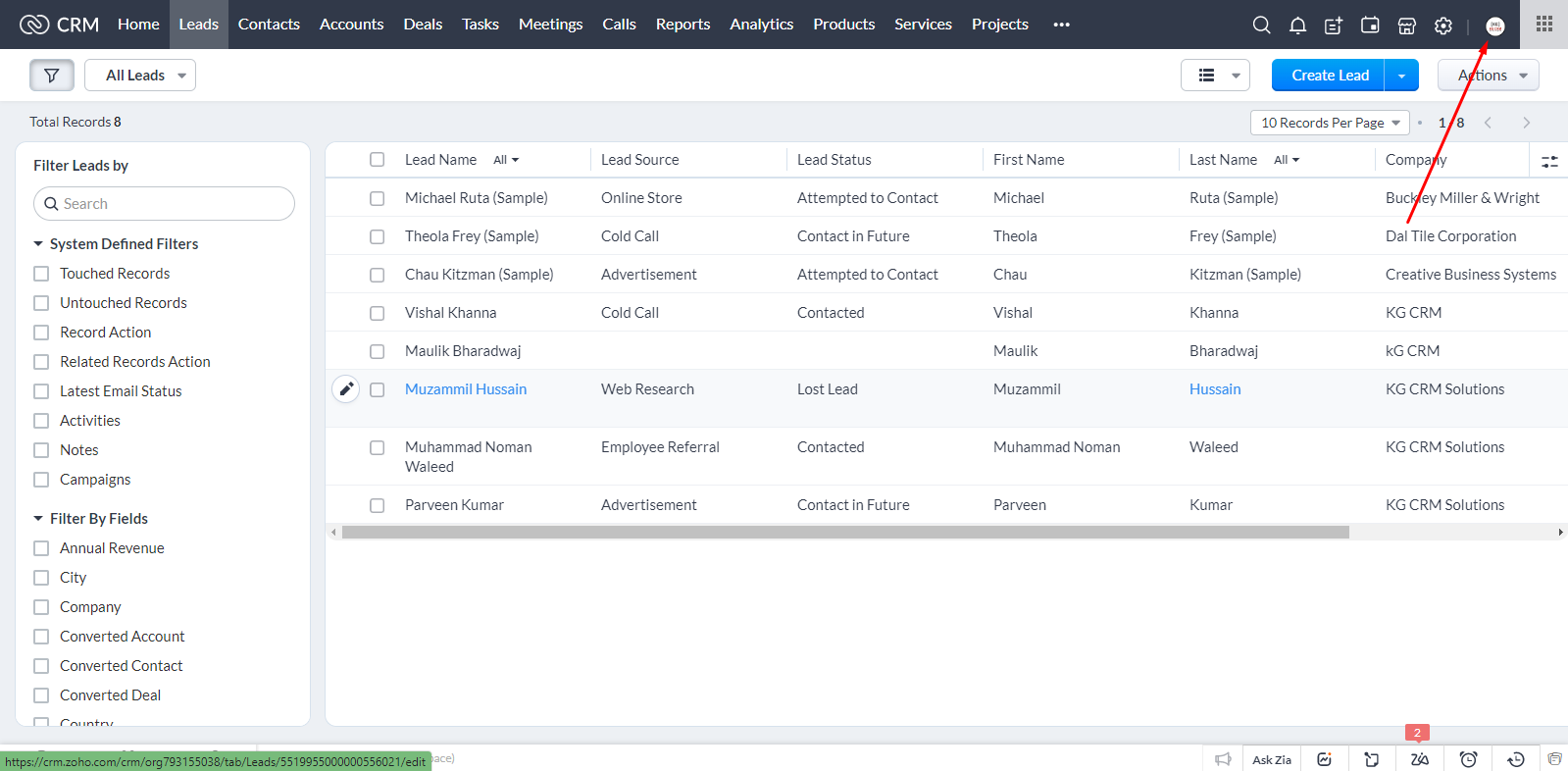
In this tutorial, we’ll learn, how we can renew subscription of our Zoho account. Basically, you’ll have to go to your Zoho Account

How to Renew Your Zoho Subscription?

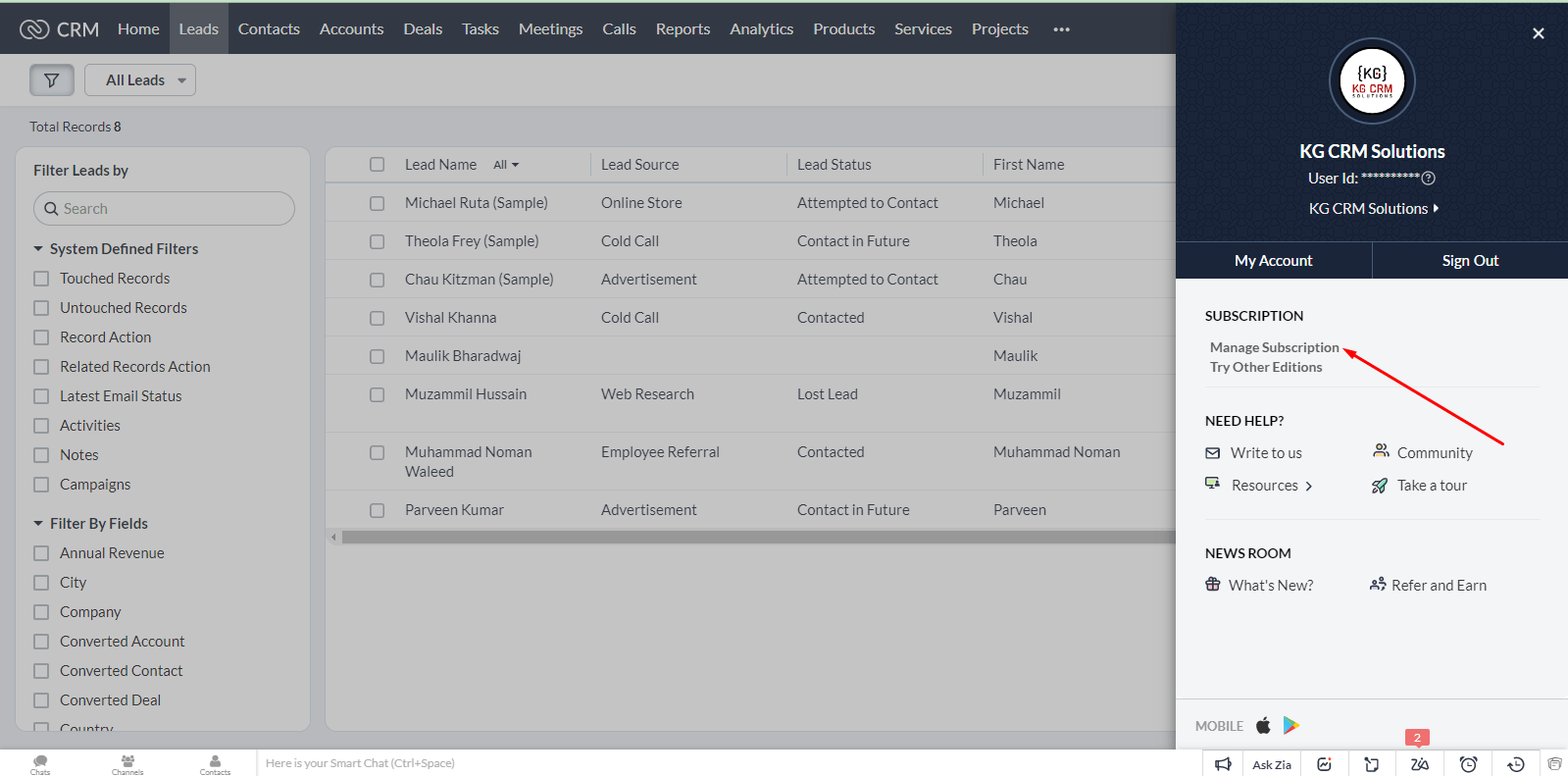
Then go to Manage Subscription

How to Renew Your Zoho Subscription?

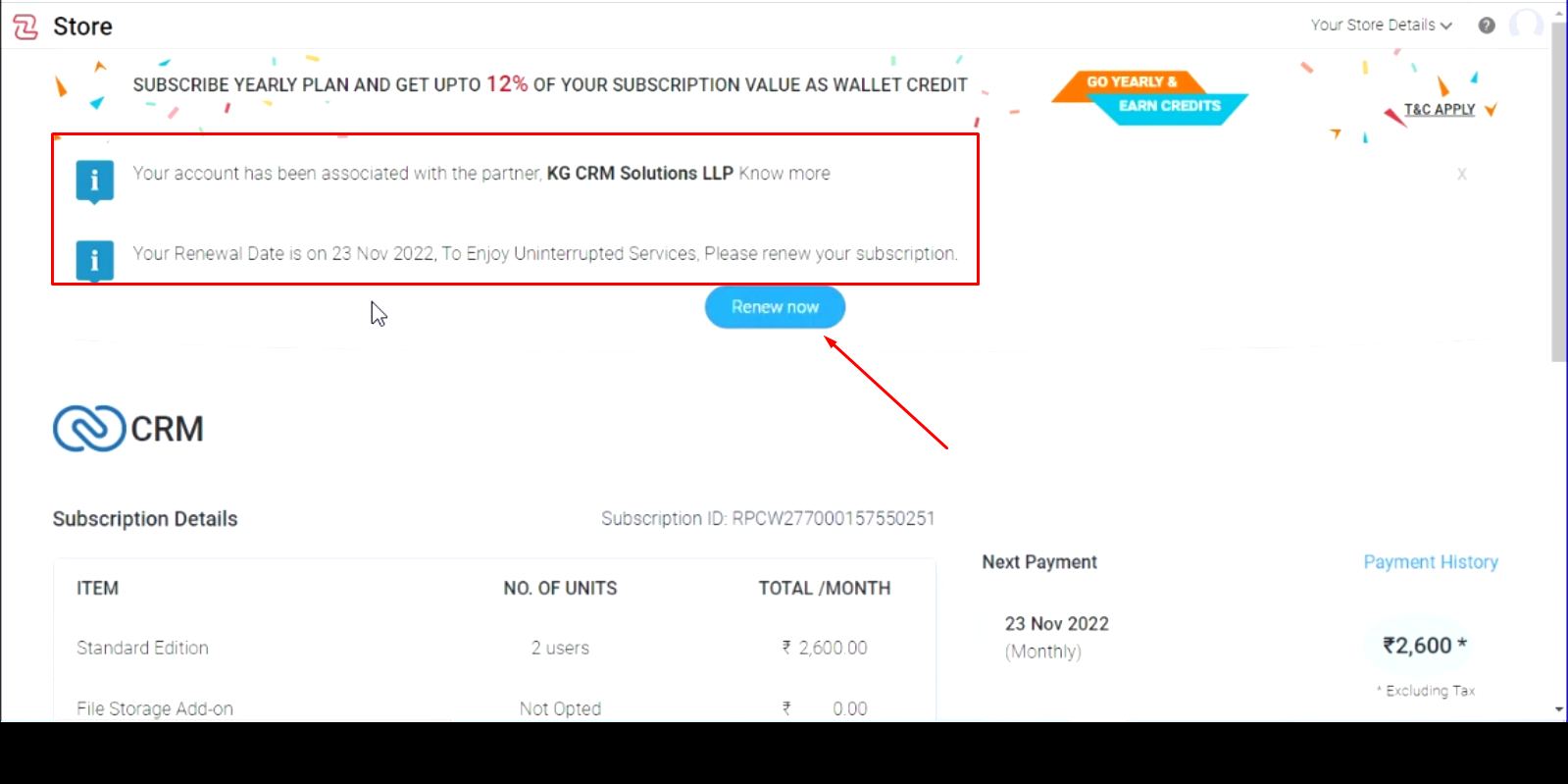
At this page, you’ll see your renewal date, and a “Renew Now” button, click on this button.

How to Renew Your Zoho Subscription?

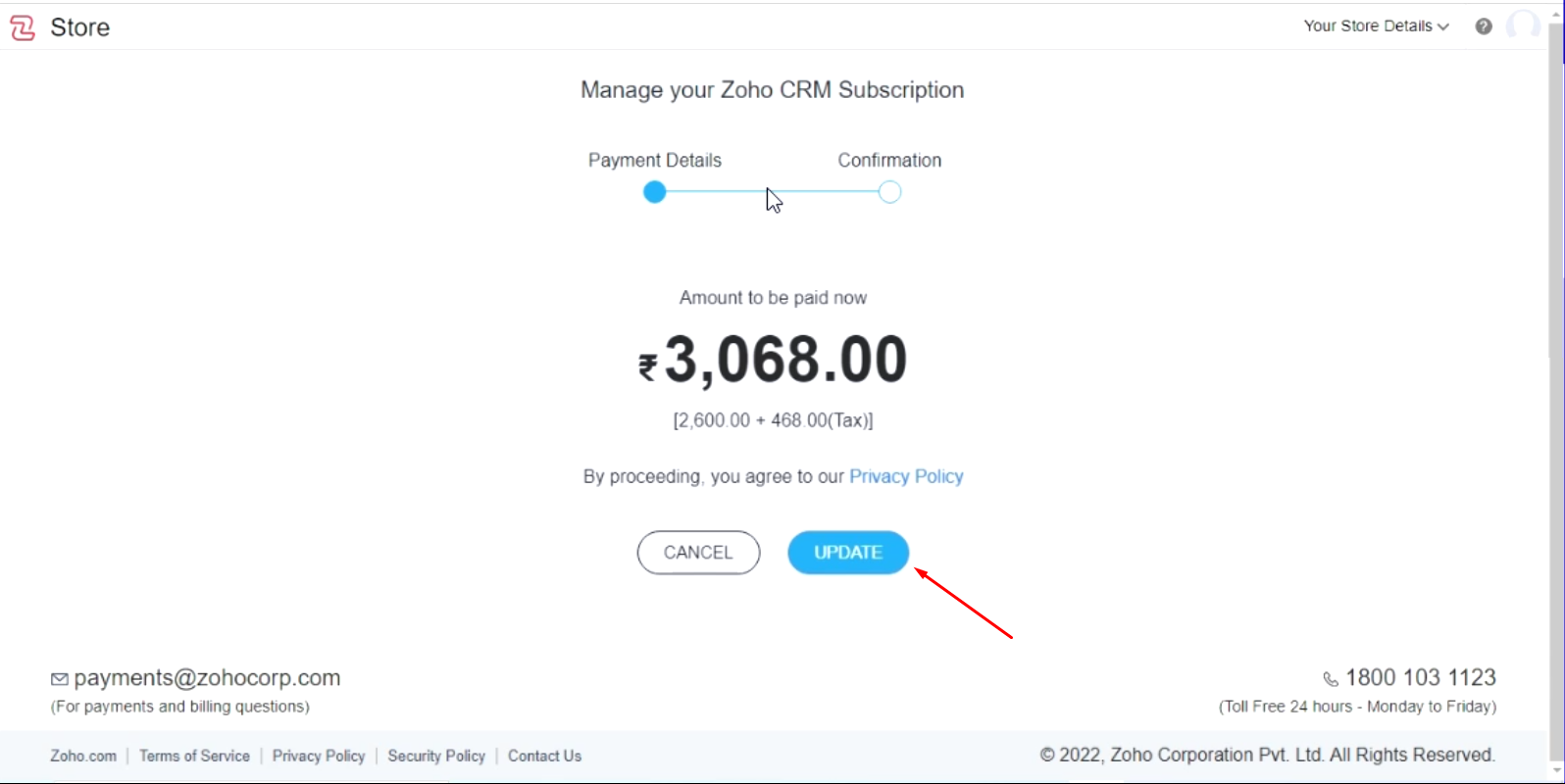
It will show you the further billing details and amount to be paid with taxes, Click on Update.

How to Renew Your Zoho Subscription?

It will ask you to add payment method like online ...

How to Import Leads in Zoho CRM?

How to Import Leads in Zoho CRM?

📅 November 22, 2022

Wondering how to import leads in Zoho CRM? This blog will show you how we can import leads in Zoho CRM.

The Leads in your file can be easily imported into your CRM account. Just follow these steps to import leads:
  1. Go to the Leads Module. In this module, From the Dropdown menu under Create Lead, click on Import Leads.

How to Import Leads in Zoho CRM?
You can import leads in two ways
1) From Files 2) From CRMs

How to Import Leads in Zoho CRM?

For now, you’ll be expo...

How to Filter Leads in Zoho CRM?

How to Filter Leads in Zoho CRM?

📅 November 21, 2022

This tutorial will show how we can filter leads or contacts based on specific criteria in Zoho CRM. Criteria can be different, but the process will be the same. You can apply filters on any module, no matter it’s Leads or Contacts or any other module.
Example: Let’s suppose we want to find Leads which has no emails.
In the filter’s search field, type Email to quickly get into it, otherwise, you c...

How to Show or Hide Columns in View in Zoho CRM

In this tutorial, we’ll see , how we can add or remove columns in a view.

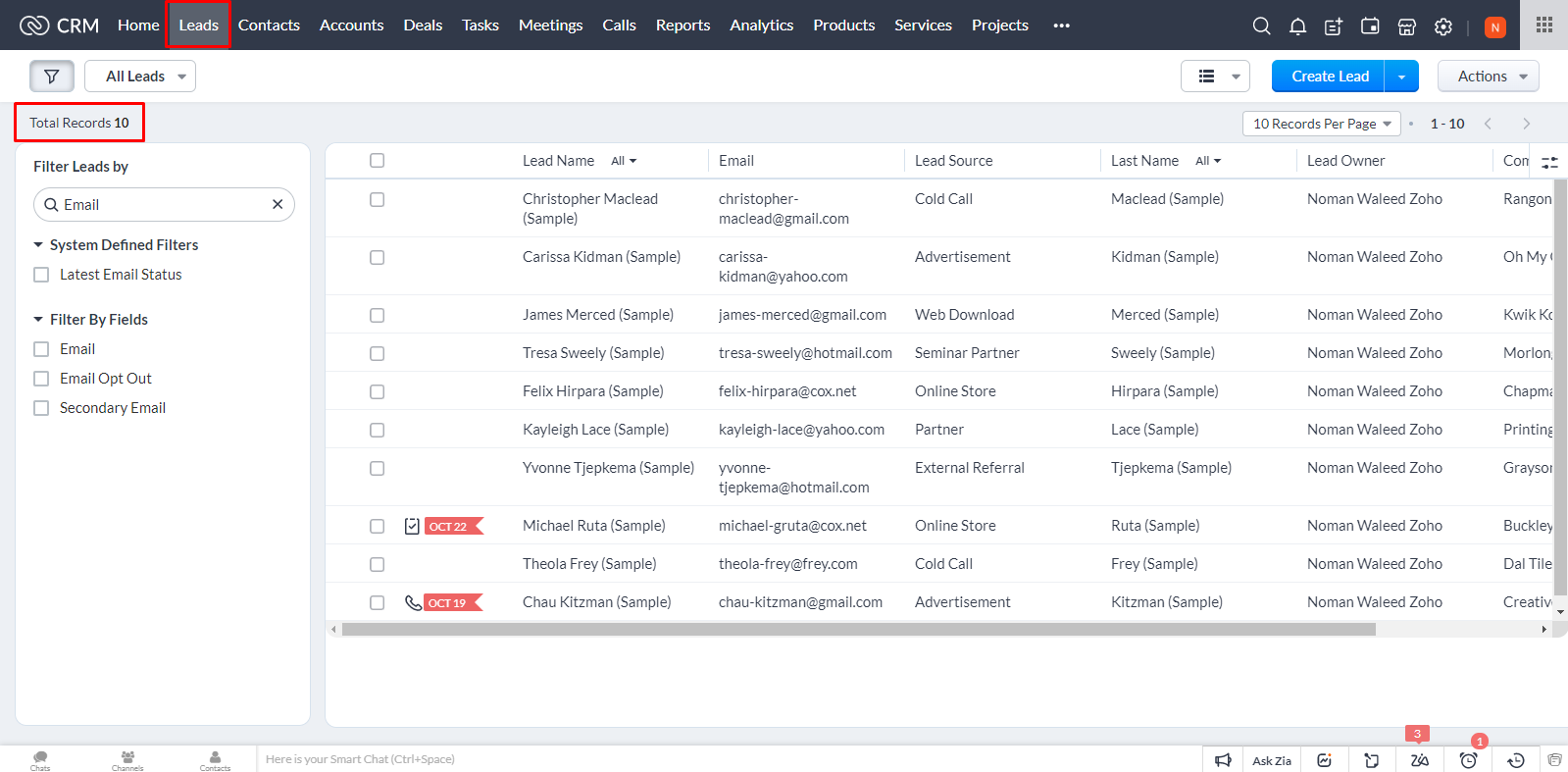
Here is the view Leads Module, all the leads are listed out here.

How to Show or Hide Columns in View in Zoho CRM
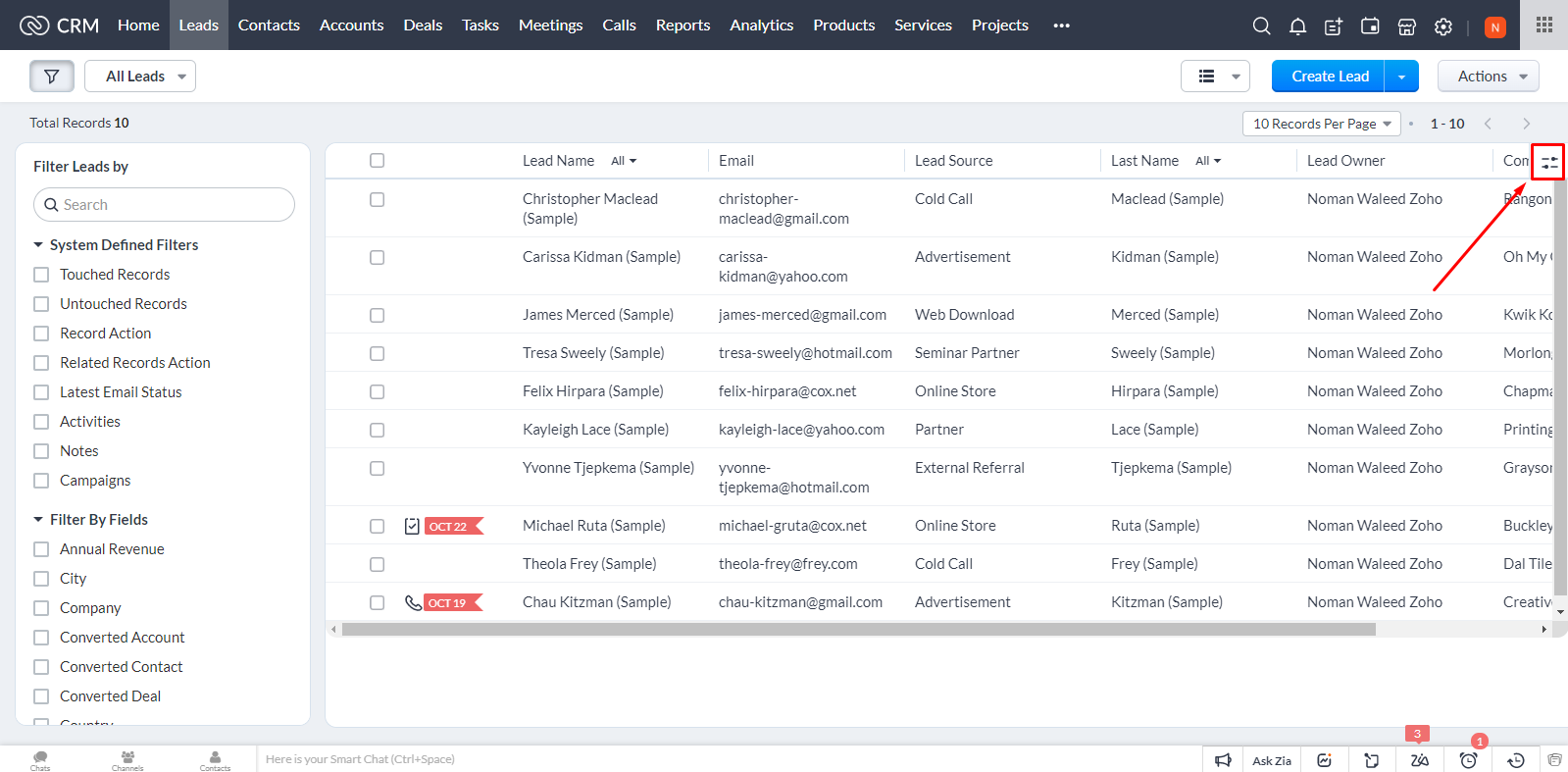
To add or remove Leads, click on icons in top right corner marked below.

How to Show or Hide Columns in View in Zoho CRM
Click Manage Columns

How to Show or Hide Columns in View in Zoho CRM
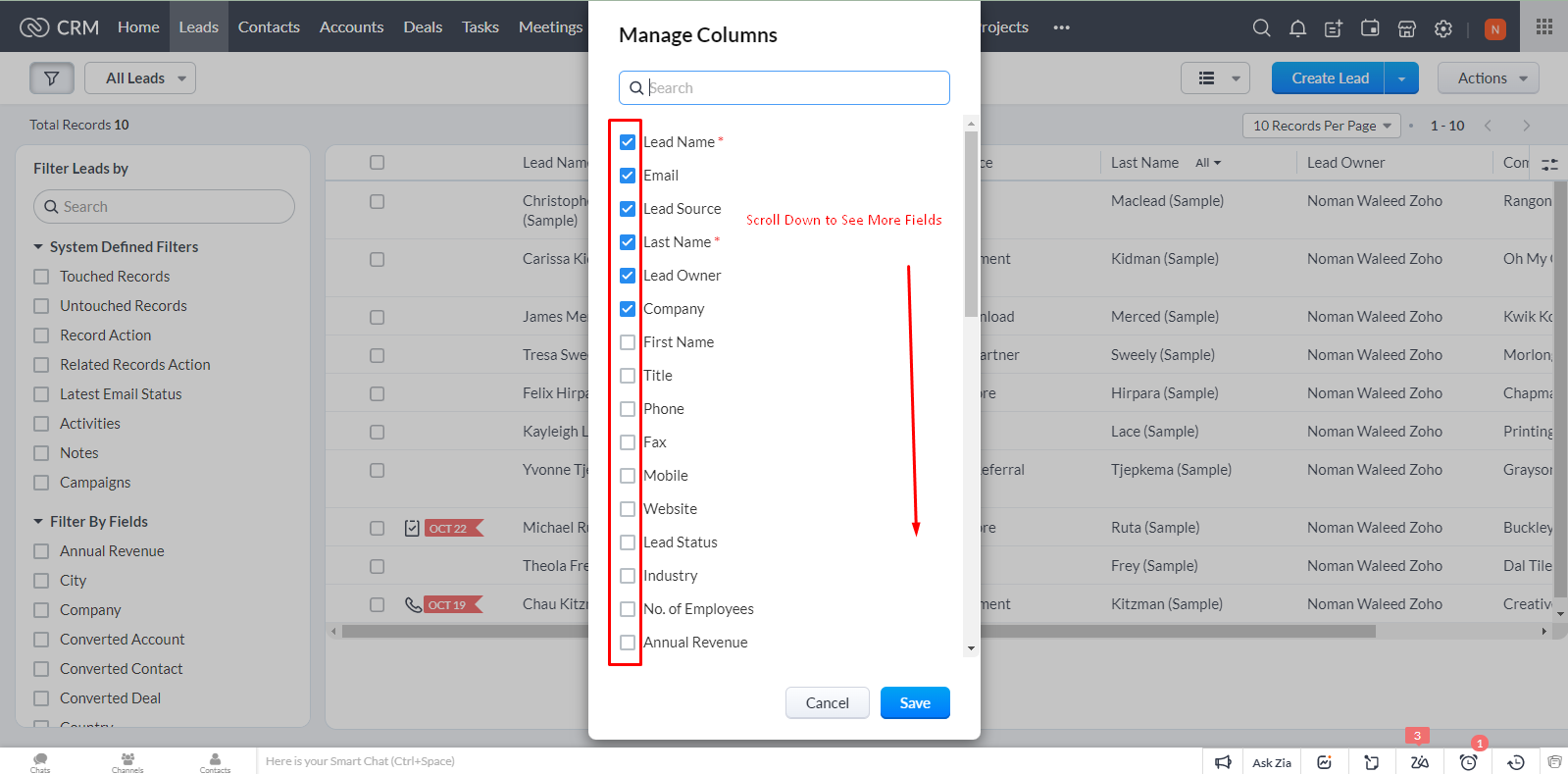
From the Manage Columns dialogue box, you can add or remove any field in the view.

How to Show or Hide Columns in View in Zoho CRM
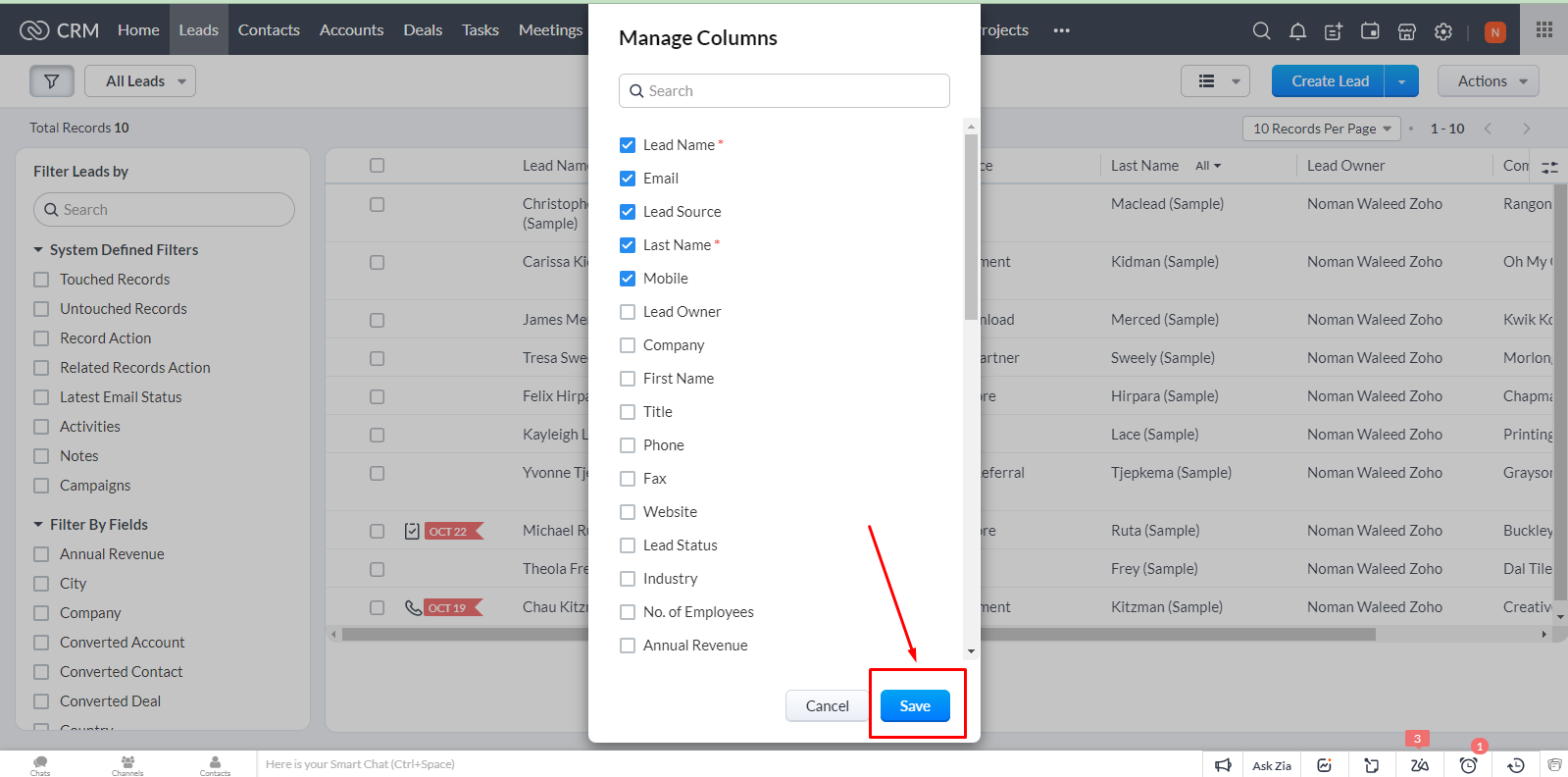
After selecting/unselecting desired fields, click Save.

How to Show or Hide Columns in View in Zoho CRM
You’ll see updated view with f...