

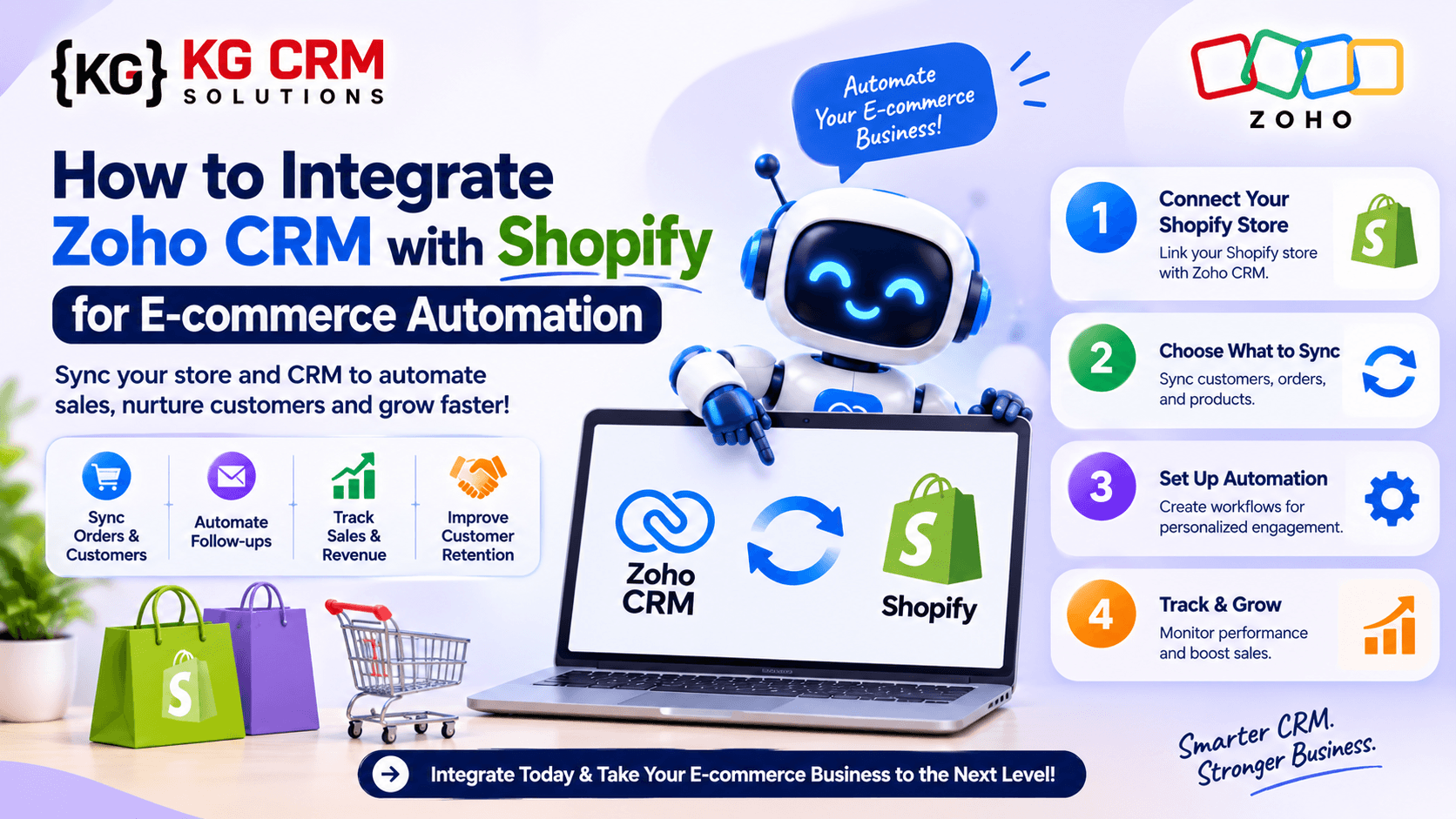
Running an online store involves more than receiving orders. E-commerce businesses also need to manage customer information, track purchases, handle repeat customers, coordinate sales follow-ups and understand buying patterns.
When Shopify and Zoho CRM work separately, teams may need to enter the same customer information into multiple systems. This can lead to duplicate records, missed follow-ups and unnecessary manual work.
Integrating Shopify with Zoho CRM helps bring customer and order information together. Businesses can use this connection to manage customer relationships, automate routine activities and give their sales and support teams better visibility into customer interactions.
For growing e-commerce businesses, this integration can make daily operations more organised and efficient.
Why Integrate Shopify with Zoho CRM?
Shopify helps businesses manage their online stores, products, customers and orders. Zoho CRM helps teams manage leads, contacts, sales activities and customer relationships.
Connecting the two platforms creates a more connected business process.
Here are some important benefits:
1. Keep Customer Information in One Place
When a customer places an order or registers on your Shopify store, their details can be added to Zoho CRM.
Your team can view customer information, contact details and relevant purchase history from the CRM instead of switching between different systems.
2. Track Customer Orders and Purchase History
Understanding what customers buy can help businesses improve their sales and customer service.
With the right integration, Shopify order information can be connected with CRM records. Your team can use this information to understand buying behaviour, identify repeat customers and plan relevant follow-ups.
3. Reduce Manual Data Entry
Without integration, employees may need to copy customer and order details from Shopify into Zoho CRM.
Automated workflows can handle many of these repetitive activities, reducing manual effort and the possibility of data-entry mistakes.
4. Improve Customer Follow-Ups
A customer who makes a purchase may be interested in related products, future offers or additional services.
Zoho CRM can help your team create follow-up tasks, organise customer segments and manage communication based on purchase activity.
5. Get Better Sales Visibility
When customer and order information is available in a connected system, managers can get a clearer picture of customer activity and sales opportunities.
This information can support better reporting, planning and customer relationship management.
Methods to Integrate Shopify with Zoho CRM
There are different ways to connect Shopify and Zoho CRM. The right method depends on your business requirements, data structure and automation needs.
Method 1: Use the Shopify Extension for Zoho CRM
Zoho provides a Shopify extension for Zoho CRM that allows businesses to synchronise customer, sales and product information between the two platforms.
Basic setup process:
- Sign in to your Zoho CRM account.
- Open Setup.
- Navigate to Marketplace → All.
- Search for Shopify for Zoho CRM.
- Install the extension.
- Open the extension settings.
- Enter your Shopify store details and the required app credentials.
- Authenticate your Shopify store.
- Configure the synchronisation settings.
- Select the sync direction and conflict-handling behaviour according to your requirements.
The extension supports one-way and two-way synchronisation, depending on the selected configuration.
Important: Zoho’s documentation states that the extension is available in the US, EU, India, Australia, Canada and Japan data centres. It also notes that Shopify Basic accounts have restrictions on synchronising personally identifiable customer information; only sales orders are synchronised under that plan.
Method 2: Use Zoho Flow for Workflow Automation
Another way to connect Shopify with Zoho CRM is through Zoho Flow.
Zoho Flow is a no-code integration platform that connects different applications and automates actions between them. It provides Shopify and Zoho CRM triggers and actions that businesses can use to build customised workflows.
For example:
- When a new customer is created in Shopify, create a contact in Zoho CRM.
- When a Shopify order is paid, create or update a related CRM record.
- When an order is cancelled, update the corresponding CRM information.
- When a customer is updated, synchronise the relevant details.
- When a cart is abandoned, create a follow-up activity where the required data and permissions are available.
Basic setup process:
- Sign in to Zoho Flow.
- Select Shopify and Zoho CRM as the applications to connect.
- Authenticate both accounts.
- Choose a Shopify trigger, such as Customer Created or Order Paid.
- Select the corresponding Zoho CRM action.
- Map the Shopify fields to the appropriate CRM fields.
- Add conditions or logic if required.
- Test the workflow with sample records.
- Activate the flow after verifying the results.
Zoho Flow is useful when a business needs more flexibility than a basic data synchronisation setup.
Method 3: Build a Custom Integration Using APIs
Some e-commerce businesses have specific requirements that cannot be handled by a standard extension or prebuilt workflow.
In such cases, a custom integration using Shopify APIs and Zoho CRM APIs can provide greater control over the data and automation process.
A custom integration can be designed to:
- Synchronise customer records using email or another unique identifier.
- Create CRM records when Shopify orders are placed.
- Update order status and payment information.
- Connect products and product variants using SKU values.
- Handle cancellations, refunds and fulfilment updates.
- Apply custom business rules before updating CRM records.
- Connect Shopify with other business applications.
For example, a business may want to create a CRM deal only when an order is paid and its value is above a defined amount. This type of requirement can be implemented through custom API logic.
Custom development is particularly useful when the business has complex workflows, multiple sales channels or specific reporting requirements.
Important Shopify and Zoho CRM Automation Workflows
After connecting the two platforms, the next step is to identify which business activities should be automated.
Here are some practical workflows for e-commerce businesses.
1. Automatically Create CRM Contacts from Shopify Customers
Workflow:
- A customer registers or places an order on Shopify.
- The integration checks whether the customer already exists in Zoho CRM.
- If the contact does not exist, a new CRM contact is created.
- If the contact already exists, the relevant details are updated.
This helps maintain organised customer records and reduces duplicate entries.
2. Create CRM Records for New Shopify Orders
When a customer places an order, the integration can create a related record in Zoho CRM.
Depending on the business process, this could be a deal or a custom module record containing:
- Shopify order number
- Customer name
- Order value
- Product details
- Payment status
- Order date
- Fulfilment status
This gives sales and customer service teams better visibility into customer purchases.
3. Automate Follow-Ups for Repeat Customers
Repeat customers are valuable to e-commerce businesses.
You can configure Zoho CRM workflows to identify customers based on their order history and create follow-up activities.
For example, when a customer completes their third purchase, Zoho CRM can create a task for the sales team to follow up with a relevant offer or customer retention activity.
4. Manage Cancelled and Refunded Orders
Order cancellations and refunds should also be reflected in the CRM.
An integration can identify a cancelled or refunded Shopify order and update its corresponding CRM record. This helps teams avoid following up with customers using outdated order information.
5. Automate Abandoned Cart Follow-Ups
Abandoned carts can represent potential sales opportunities.
When Shopify detects an abandoned cart, an integration can pass the available customer and cart information into Zoho CRM. The CRM can then create a follow-up task or trigger an approved communication workflow.
The exact process depends on the information Shopify makes available, customer consent and the communication tools used by the business.
6. Connect Product and Inventory Information
Businesses that need better visibility into product availability can also create workflows around product and inventory updates.
For example, when a product or inventory item changes in Shopify, the integration can update the corresponding information in Zoho CRM or another connected system.
The correct approach depends on which application is responsible for maintaining the master inventory data. Businesses should define this before enabling two-way synchronisation.
Data Mapping: What Information Should Be Synced?
Before activating the integration, decide which Shopify fields should connect with Zoho CRM fields.
| Shopify information | Zoho CRM destination |
| Customer name | Contact Name |
| Customer email | |
| Customer phone | Phone |
| Customer address | Mailing Address |
| Order number | Shopify Order ID custom field |
| Order value | Deal Amount or custom field |
| Order date | Order Date custom field |
| Payment status | Payment Status custom field |
| Fulfilment status | Fulfilment Status custom field |
| Product SKU | Product SKU custom field |
The exact mapping depends on your CRM modules and business requirements. For example, an e-commerce business may prefer to create a separate custom module for Shopify orders instead of storing every order as a deal.
A well-planned field structure makes reporting and automation easier.
Common Challenges During Shopify and Zoho CRM Integration
Although integration can improve business operations, the setup needs proper planning.
Duplicate Customer Records
A customer may place multiple orders using the same email address. Without duplicate checking, the CRM may create multiple contact records.
Solution: Use a suitable unique identifier, such as customer email or Shopify customer ID, and configure create-or-update logic.
Incorrect Field Mapping
Shopify and Zoho CRM may use different field names and formats.
Solution: Review the data structure before connecting the applications. Map standard and custom fields carefully and test the workflow with sample records.
Two-Way Synchronisation Conflicts
If information is updated in both Shopify and Zoho CRM, one system may overwrite the changes made in the other.
Solution: Define which platform is the primary source for each type of information. Configure conflict behaviour before enabling two-way synchronisation.
API and Permission Issues
Custom integrations depend on correct authentication, permissions and API configurations.
Solution: Review the required permissions, test API connections and monitor failed workflows.
Privacy and Customer Data
Customer details should only be transferred and used according to applicable privacy requirements and customer permissions.
Solution: Sync only the information needed for your business process and restrict access to authorised users.
Which Integration Method Should Your Business Choose?
The best method depends on the complexity of your e-commerce operations.
| Business requirement | Recommended approach |
| Standard customer and order synchronisation | Shopify extension for Zoho CRM |
| No-code workflow automation | Zoho Flow |
| Custom business logic and complex data mapping | API-based integration |
| Multiple sales channels and connected applications | Custom integration with Zoho Flow and APIs, where appropriate |
For a business with basic requirements, the Shopify extension may be enough. If you need to automate specific activities, Zoho Flow can provide additional flexibility. For complex processes, a custom API integration may be the better choice.
How KG CRM Solutions LLP Can Help with Zoho CRM and Shopify Integration
Integrating two applications is not just about transferring data. The real objective is to build a reliable process that supports the way your business operates.
KG CRM Solutions LLP is a Zoho-focused CRM consulting and implementation company with over 8 years of experience in Zoho services. We work with businesses across India, Canada, the USA, the UAE, New Zealand and other international markets.
Our team helps businesses with:
- Zoho CRM consulting and implementation
- Shopify and Zoho CRM integration
- Custom API development and third-party integrations
- CRM workflow automation
- Custom modules and field configuration
- Data migration and data synchronisation
- Ongoing Zoho CRM support and maintenance
We first understand your existing Shopify store, CRM structure and business process. Based on those requirements, we can recommend the appropriate integration method and design workflows that reduce manual work and improve data visibility.
You can also explore our Zoho CRM implementation and solutions to understand how we help businesses improve their CRM processes.
Frequently Asked Questions
1. Can Shopify be integrated with Zoho CRM?
Yes. Shopify can be integrated with Zoho CRM using the Shopify extension, Zoho Flow or a custom API-based integration. The right option depends on the data and automation requirements.
2. Can Shopify customers automatically be added to Zoho CRM?
Yes. You can configure the integration to create Zoho CRM contacts when new customers are added to Shopify. You can also use create-or-update logic to reduce duplicate records.
3. Can Shopify orders be tracked in Zoho CRM?
Yes. Shopify order information can be synchronised or transferred to Zoho CRM. Businesses can store order numbers, values, dates and statuses in suitable CRM fields or custom modules.
4. Can I integrate Shopify with Zoho CRM without coding?
Yes. The Shopify extension and Zoho Flow offer options for connecting the applications without building a complete custom integration. More complex requirements may need API development.
5. Can I synchronise Shopify and Zoho CRM in both directions?
Yes. The Shopify extension supports one-way and two-way synchronisation. Before enabling two-way sync, decide how conflicts and duplicate records should be handled.
6. Can Zoho CRM automate abandoned cart follow-ups?
Yes. Shopify abandoned-cart events can be used to initiate workflows through an integration. The available customer information, consent and communication setup will determine how the follow-up can be handled.
7. Is custom Shopify and Zoho CRM integration possible?
Yes. A custom integration using Shopify and Zoho CRM APIs can support specific business rules, custom modules, advanced data mapping and connections with other applications.
Conclusion
Integrating Shopify with Zoho CRM can help e-commerce businesses manage customer information, track orders and automate important sales activities. It reduces the need for repetitive data entry and gives teams better visibility into customer relationships.
Whether you choose the Shopify extension, Zoho Flow or a custom API integration, the important step is to plan the data structure and automation workflows before implementation.
If your business wants to connect Shopify with Zoho CRM and build a more organised e-commerce process, KG CRM Solutions LLP can help you plan and implement the right Zoho integration.
Ready to automate your e-commerce operations? Contact KG CRM Solutions to discuss your Shopify and Zoho CRM integration requirements.
Read Related Blogs: Zoho MCP Server

About the Author
Parveen Kumar | Founder @ KG CRM Solutions
Parveen Kumar is the founder of KG CRM Solutions, a Zoho Authorised Partner based in Mohali, Punjab. He has been building Zoho systems for businesses across India, the UK, Australia, Canada, and the US for over 8 years, specialising in Zoho CRM, Zoho Creator, Deluge scripting, custom integrations, and widget development.